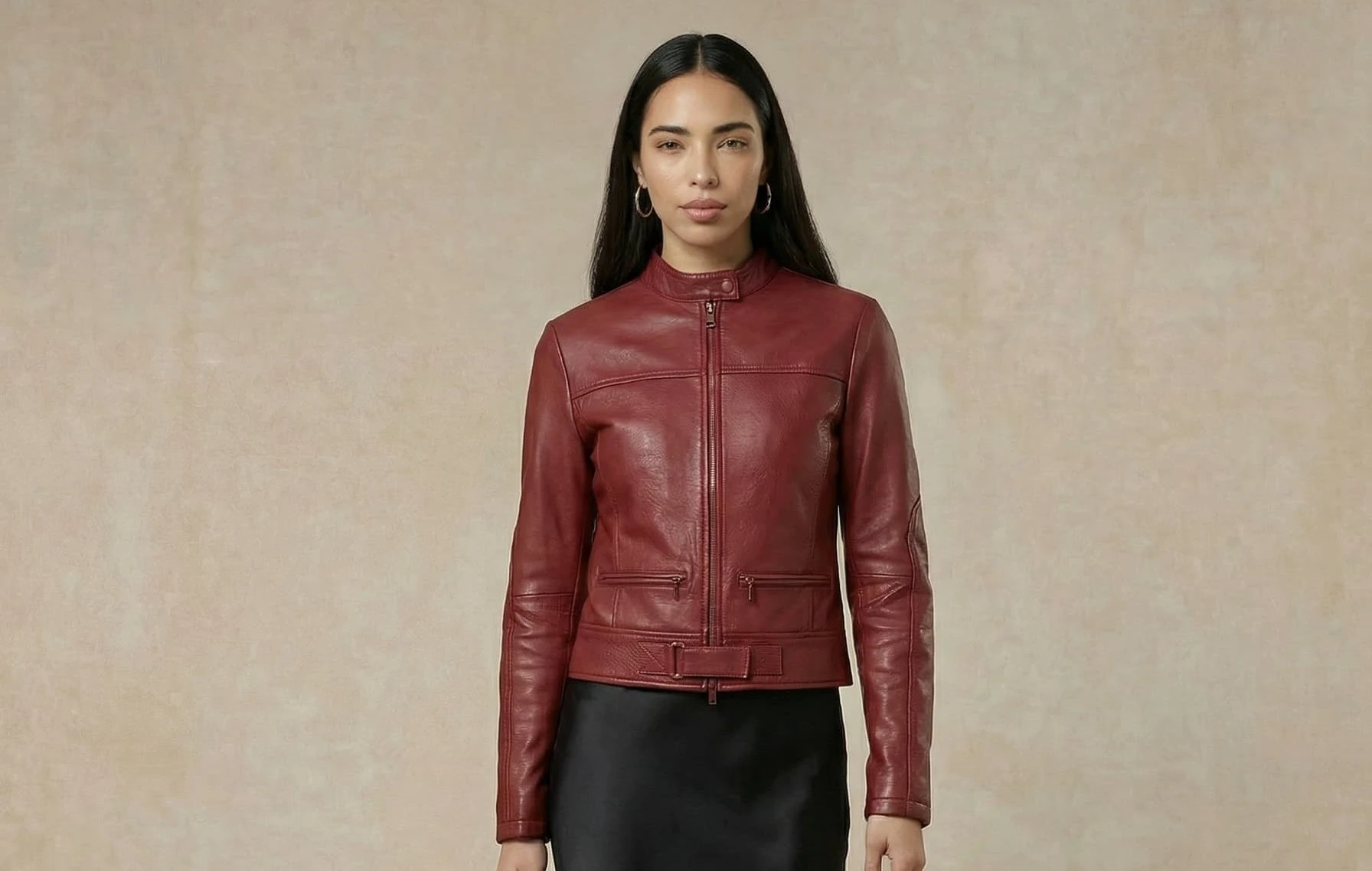
For years, organizing a photoshoot for a fashion collection meant navigating a complex set of constraints: finding a studio, booking a photographer, sourcing models, coordinating schedules. A process that was time-consuming, expensive, and inflexible.
If Botika is on your list, here is our focused guide to the best Botika alternatives for fashion brands.
To address these challenges, many fashion brands are now turning to AI.
Why generic tools are not enough
Many brands start by experimenting with general-purpose models like Midjourney, DALL·E, or Firefly. These tools can produce impressive results, but they are not designed for fashion brands that need to manage entire catalogs and collections.
The real challenge isn't generating one great image. It's generating 100, 500, or 1,000 consistent images — same model across shots, balanced lighting, cohesive backgrounds — for every SKU, across every collection.
This is why specialized "AI photoshoot" tools have emerged, built specifically for the needs of e-commerce brands and fashion retailers. These platforms allow brands to generate on-model visuals from a simple product photo, in a matter of seconds.
The market in 2026
Good news: the market is full of compelling options. From France to the United States, Canada, and Australia, over thirty tools are now active in this space. Key players include: Veeton, Fashn AI, Modelia, Flair AI, Photta, Botika, Uwear AI, Claid AI, Rawshot AI, The New Black AI — and many more.
Having many options also means having to make the right choice. And for that, several criteria are decisive.
Brands need to produce photo shoots at scale, with images that look professional, realistic, and faithful to the product. They want to save time with AI — without sacrificing creativity. They're looking for a platform that lets them compose, style, and design shoots that reflect their brand DNA.
All of this, through an easy-to-use platform, at a reasonable price.
To save you time, we tested the 20 leading tools on the market. Here are our findings.
Quick Comparison — Overview
- Veeton: An AI fashion photoshoot studio that generates ultra-realistic on-model visuals — natural skin textures, lifelike fabrics — across all categories including adult, kids, and babies, with AI editing and video built into the same workspace. The only platform offering a true brand-ready batch mode out of the box, with one of the highest product consistency scores on the market.
- Fashn AI: An AI photoshoot studio that lets you generate on-model visuals with a particularly refined text-to-image flow, combining free prompting, pre-built asset selection, and custom uploads. Ideal for technical teams thanks to a dedicated API, though the AI look remains visible and the interface can feel unclear for beginners.
- Uwear AI: An AI photoshoot platform that lets you generate on-model visuals from a flatlay, with an integrated conversational agent (Mouza) to interact directly with your generated images. Batch mode proves complex to master, but API access and editing tools (saturation, contrast, temperature) make it a flexible option.
- Modelia: An AI photoshoot tool that transforms your flatlays into on-model photos with a comprehensive guided onboarding and a step-by-step walkthrough of the main flow. It stands out with automatic SEO-friendly description generation and the ability to choose between catalog, editorial, and lifestyle moods.
- Botika: An AI photoshoot tool that takes you from flatlay or mannequin to on-model photos with an immediately accessible onboarding — before account creation. Results are generally realistic and professional, though batch mode remains hard to use and product consistency can require corrections.
- Photta: An AI photoshoot engine that lets you generate on-model visuals with advanced customization: model body size, facial expression, 2K/4K resolution, 7 image ratios, and reusable sets. It also covers jewelry, eyewear, and video, though navigation can feel slightly inconsistent across product flows.
- Flair AI: A generalist AI visual creation tool that lets you generate on-model photos with a scene canvas, scene prompting, and advanced editing tools (face upscale, erase, swap). It stands out with a community gallery of generations and inputs, but is not exclusively focused on fashion and offers neither batch mode nor API.
- Claid AI: An AI photo editing studio that lets you generate on-model visuals as a secondary feature, with strong retouching tools (background removal, light fix, erase brush). Its primary focus is e-commerce photo editing, and the fashion shoot flow is buried in the interface and not optimized for fashion brands.
- The New Black AI: A full-stack AI fashion platform that lets you create on-model photos with virtual try-on, model generation or upload, and prompting at every step of the flow. It stands out with an extended ecosystem including AI Stylist, AI fashion trends, moodboards, and a tech pack generator.
- Photoroom: an AI photo editing studio that generates on-model visuals with Virtual Model, while handling background removal, retouching, and cropping in a single workspace. No on-model batch mode on standard plans.
- Fermat: an AI platform covering the entire fashion creative pipeline, focusing on the sketch-to-render use case.
Tool | Creativity | Scalability | Consistency | Realism | Product Fidelity | Ease of Use |
|---|---|---|---|---|---|---|
Veeton | AI model generation + AI Edit + Video + Custom Angle Shot & Backgrounds | Batch mode. | High consistency on models, poses. Slight variations on backgrounds. | Strong realism, natural skin texture and fabrics. | Highest success rate. Still few edge cases. | Full tool mastered in under 5 min. Drag & drop experience with clear visuals. Works for both one-by-one and batch generation. |
Photta | Best-in-class model customization (size, expression) | No batch mode | Upscale features available if needed | Realistic renders, though some models look slightly off | Good product fidelity | Shoot feature not easy to find. Suited for one-by-one generation. |
Fashn AI | Prompt-first approach enabling strong creative freedom | API | Generally satisfying, may vary due to prompting. | Realistic renders | Good product faithfulness | Very easy to use thanks to the prompt-centered flow. Suited for one-by-one generation. |
Botika | Good creative freedom for backgrounds | Batch mode reserved for higher plans (Advanced at $192/month). | Very satisfying overall | Strong realism | Inconsistent across generations | Easy to get started, except for generating visuals for multiple products at once |
Modelia | Prompting at each step keeps full control over all assets | Mandatory prompting limits scalability | Inconsistent when background is AI-generated | Fairly realistic | Generally faithful | Easy to get started but would benefit from more visual asset selectors |
Flair AI | High creative freedom for post-generation editing | No batch mode or API | Background is inconsistent | Fairly realistic | Faithful on simple pieces, background inconsistent | Fairly simple, though model and background previews are hard to see |
The New Black AI | Prompting at multiple steps keeps control over all assets | "Generate in bulk" available but reserved for higher plans, not testable on standard plans. Pricing not transparent on this point. | Generally consistent | AI look visible but remains professional | Several generation errors in a row | Easy after a few uses, but would benefit from better image granularity |
Uwear AI | Prompting during shoot. Post-generation editing features. | Batch upload up to 10,000 items via CSV. Available from the start, but batch interface proved complex during our tests. API otherwise. | Low consistency as brand must prompt the model each time | Fairly realistic | Faithful on simple pieces | Simple to understand, but limited visual granularity. Pose previews small and hard to read. |
Claid AI | 7 poses per model. Prompting possible before generation. | Batch processing available via API. Plans from ~$19/month with API credits. Primarily oriented toward tech teams. | Low consistency | Low realism: very smooth textures, strong AI look | Poor — details removed, unfaithful textures, garments not respected | Fairly intuitive platform |
Photoroom | Wide choice of models, poses and backgrounds; custom model upload; prompt to specify the scene. | On-model batch available from the Max plan (~$35/month, up to 1,500 exports/month) and via API on the Enterprise plan (custom pricing, 200K+ images/year). | gpt-image-1 integration · up to 4K resolution · complete retouching suite (background, shadows, cropping) | Clean and professional · AI look sometimes visible on complex fabrics | Faithful on basics, imprecise on pieces with distinctive details (patterns, text) | Intuitive interface · iOS/Android app · Virtual Model buried in a very large ecosystem |
Fermat | Catalog prompt, tops/bottoms/accessories try-on, custom AI model training on brand aesthetic | Batch processing & API reserved for Enterprise plan only (custom pricing) | 4K export · SSO · white label deployment · collaborative whiteboard | Photorealistic on simple pieces, AI look visible on fine fabric details | Satisfying on simple pieces, variable on complex patterns and prints | Whiteboard interface intuitive, but feature richness = learning curve |
Legend: Ranking of the top AI photoshoot tools globally. Tests conducted on 10/04/2026.
For a deeper look, here is the full breakdown of each tool.
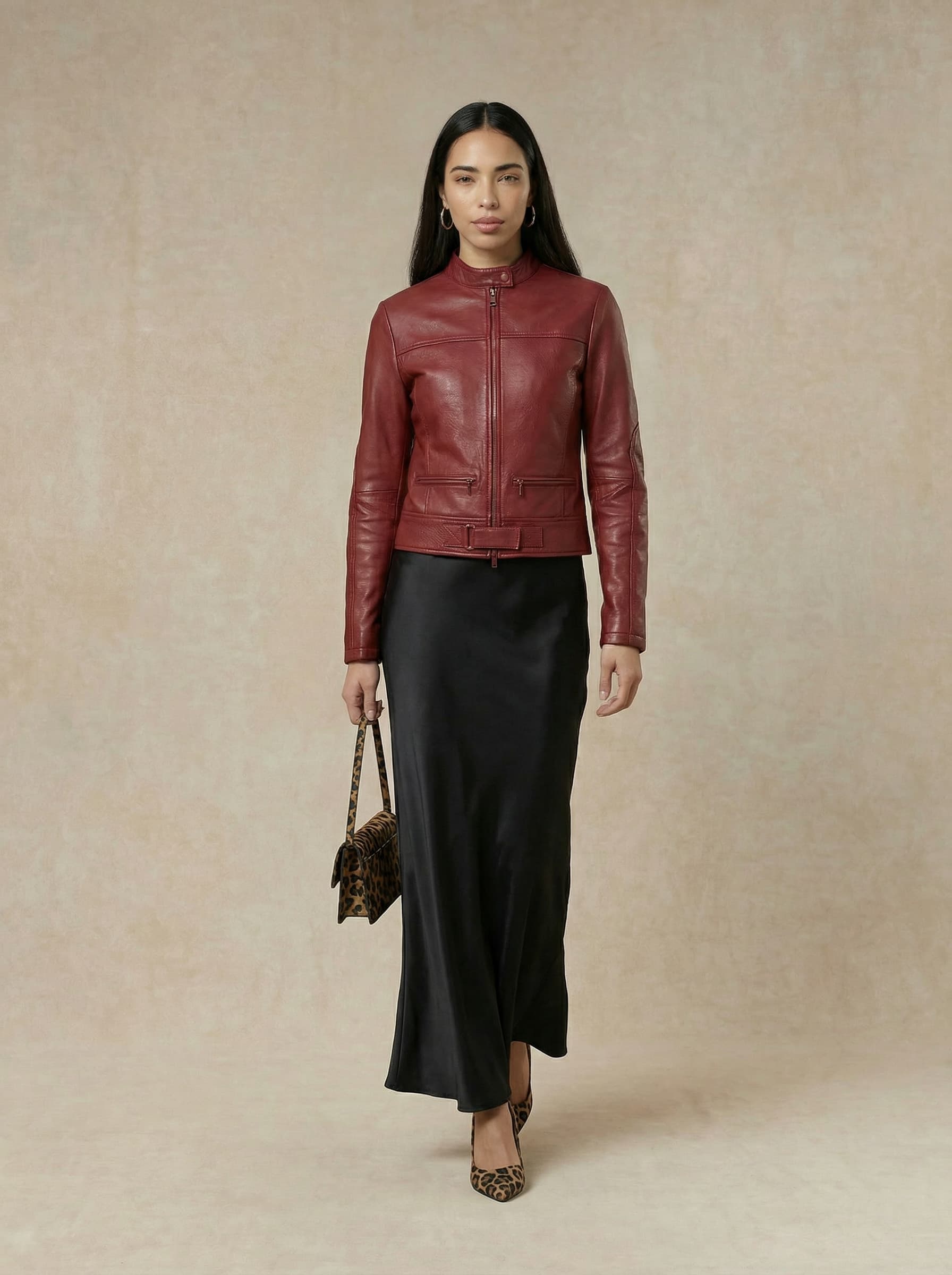
1. Veeton
In a nutshell: The most complete platform for brands looking to scale their visual production — strong realism, native batch mode, and the only one covering kids and babies collections.
Industries & Main features
Industry: Fashion & clothes, Kids & Babies, Hats, Bags, Shoes, Glasses. Features: AI model generation · Edit with AI · Video · Batch mode · Kids & Babies models · Generate a model
The Try-On Shoot
🎨 Creativity
Veeton offers a complete studio built directly into the platform: AI model generation, post-generation editing, and video creation all in the same workspace. It evolves on a daily basis to bring new creative options: new backgrounds, poses, and models.
📈 Scalability
This is Veeton's most differentiating strength: a ready-to-use batch mode, directly accessible on the platform, with a smooth Shopify integration available. Where competitors offer either nothing, an unclear flow, or a complex API to configure, Veeton allows brands to generate entire series of visuals without friction, that can be directly uploaded in your Shopify store.
🏆 Consistency & Professionalism
The overall finish level of the outputs is very satisfying. The experience is built around a drag & drop approach with clear visuals at every step, ensuring a predictable and professional result — whether for one-by-one or batch generation.
📸 Realism
Strong realism, with a natural render on skin texture and fabric. The AI imprint is significantly less visible than most competitors, bringing results closer to a real studio photo.
2. Fashn AI
In a nutshell: The most complete tool for fashion-specific text-to-image generation, offering strong creative freedom through a hybrid prompt-and-assets approach.
Industries & Main Features
Industry: Fashion & Clothes.
Features: Product to model · Try on · Create model · Model swap · Edit
The Try-On Shoot
🎨 Creativity
Fashn AI stands out for the central role given to the prompt: you can describe your background in detail, import your own backdrop, and fine-tune each parameter. The set-building flow is less linear than some competitors, but the creative freedom it offers is genuine.
📈 Scalability
API access is available, theoretically allowing production to scale. However, the API connection requires technical integration — it is not plug-and-play for a non-technical team.
🏆 Consistency & Professionalism
Resolution can be pushed up to 4K. That said, the absence of pre-built "ghost" or "flat" modes is a notable gap for brands looking to standardize and clean up their product visuals.
📸 Realism
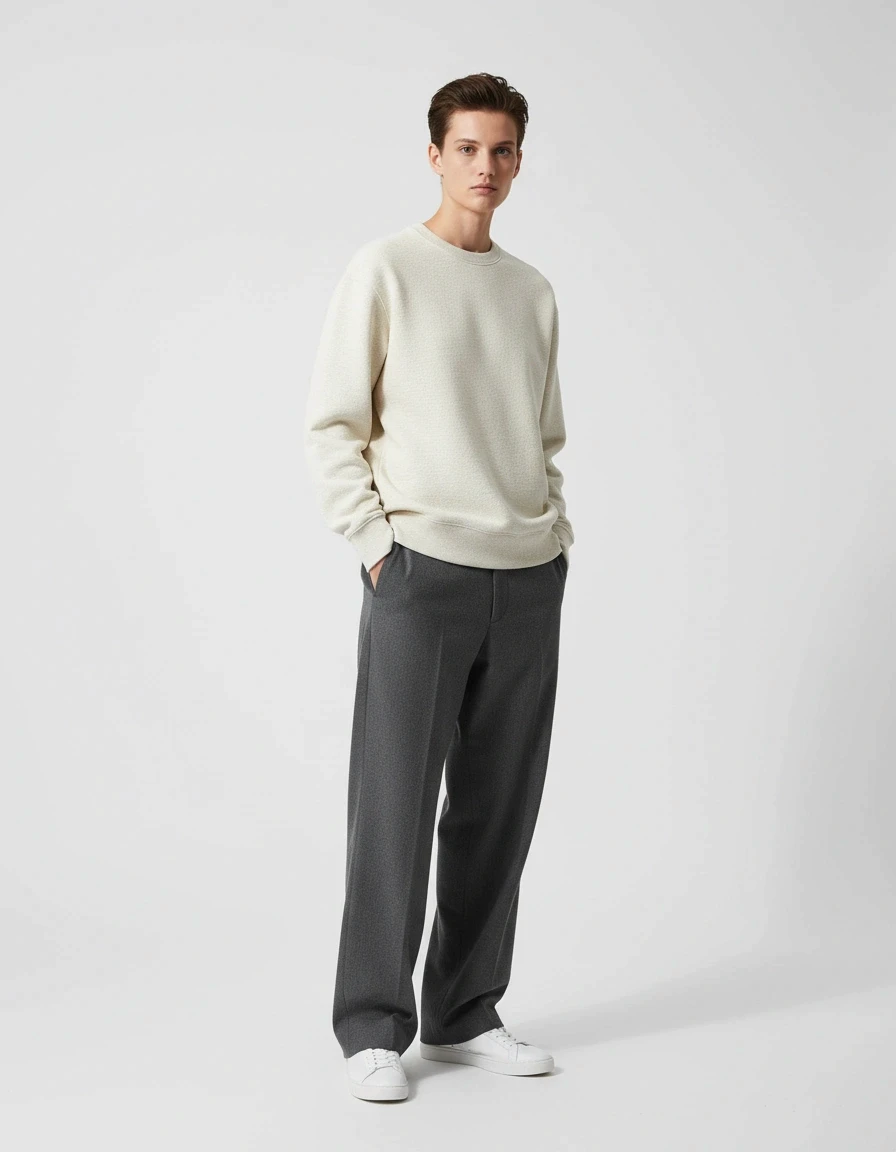
Outputs are generally realistic, but the AI imprint remains visible: images have an overly smooth appearance that gives away their artificial origin. For high-end editorial campaigns, this can be an issue.
🎯 Consistency & Professionalism
Generally faithful to the original garment overall.
🧭 Ease of Use
The platform does not suggest complementary items if the brand has nothing to complete the outfit with. Onboarding could be more guided for first-time users.
💡 What I didn't find elsewhere
A text-to-image flow this well designed: you can prompt freely, select pre-built assets, or upload your own. It's the best balance between creative flexibility and accessibility.
✅ / ❌ Pros & Cons
Pros: Strong creative freedom · API available · 4K resolution
Cons: No ghost/flat mode · Overly smooth render · Complex for non-technical users
3. Modelia
In a nutshell: The platform with the widest feature set, built around a highly vertical flatlay-to-model approach.
Industries & Main Features
Industries: Fashion & Clothes, Hats, Bags, Glasses, Footwear.
Features & Tools: Flatlay to model · Virtual Try On · AI Video generator · Model to Flatlay · Background changer · Background remover · Color change · Image to sketch
The Try-On Shoot
🎨 Creativity
Modelia offers a wide creative palette: prompting the outfit, the background, and even the photo mood ("catalog", "editorial", "lifestyle"). This level of granularity allows you to align outputs with your brand's visual identity.
📈 Scalability
The main limitation: the outfit must be entered via prompt, which can slow down the process. A purely visual selection would be faster for scaling across large catalogs. A Shopify integration is available. No model library is provided, so prompting is mandatory — not ideal at scale.
🏆 Consistency & Professionalism
Consistency can vary from one image to the next, particularly with backgrounds. With only 4 background options — all solid colors — leaving it up to the AI produces different results each time. Modelia does offer an AI background generation feature within the shoot flow to address this, though it may not be the fastest option when you're under time pressure.
📸 Realism
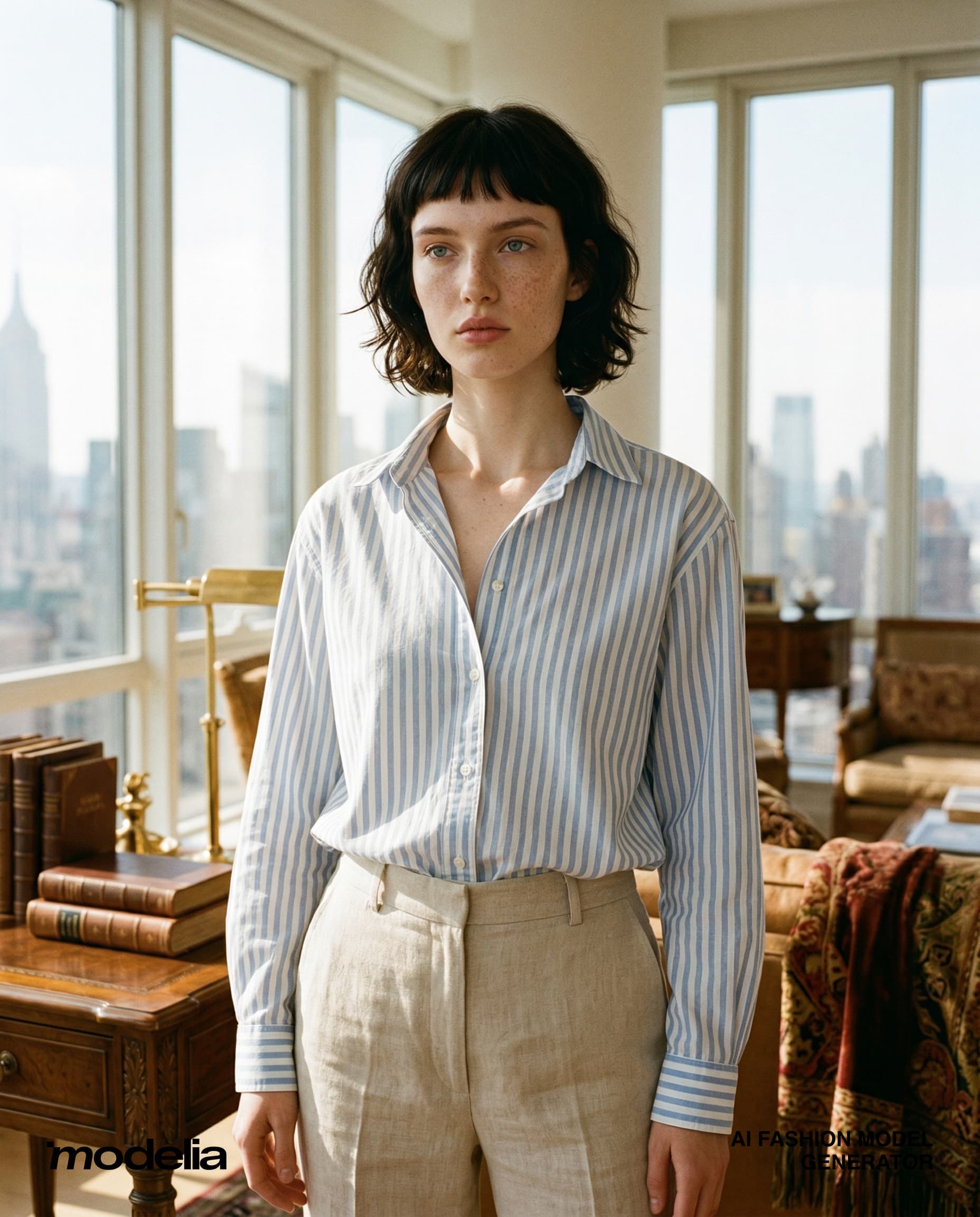
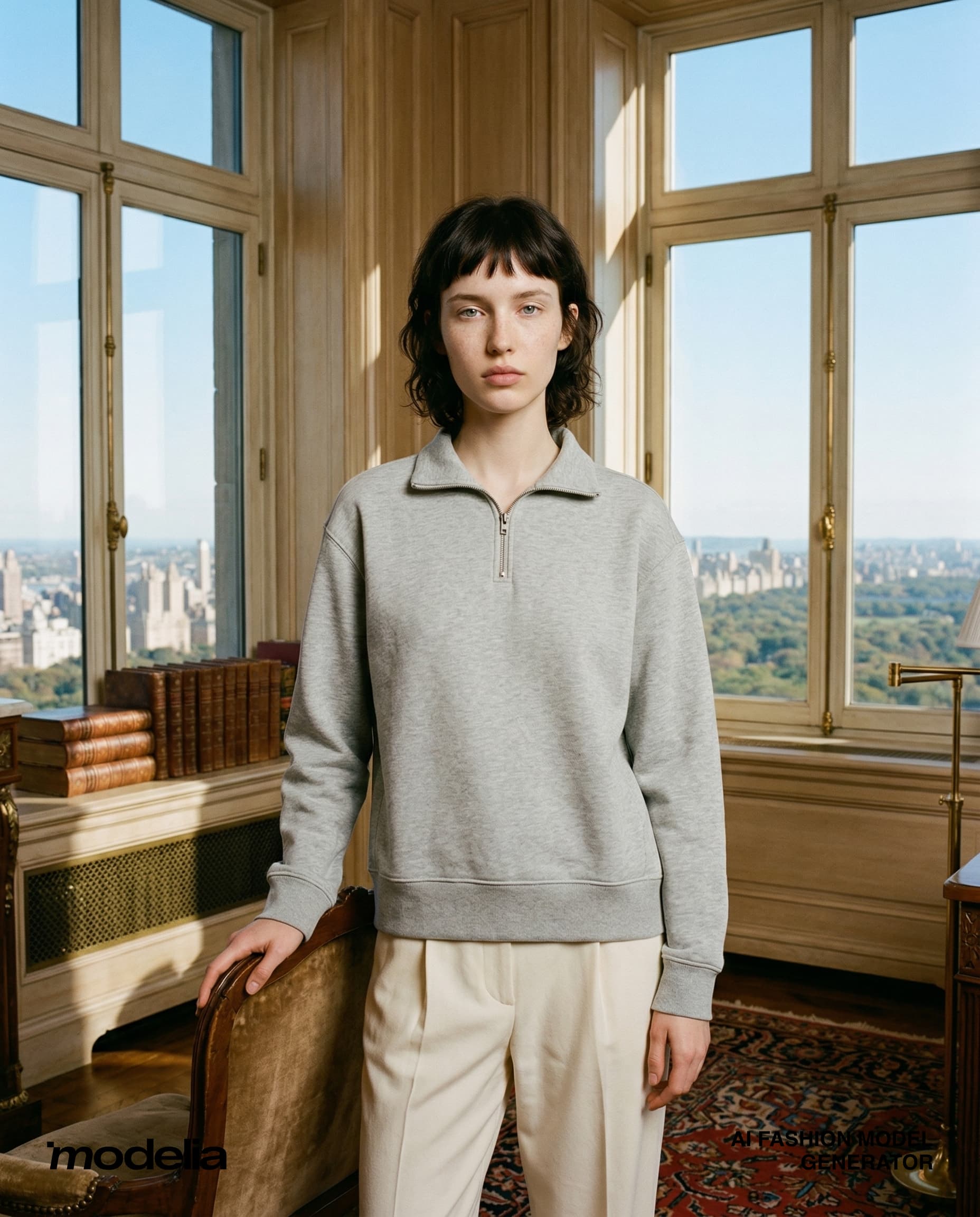
Generally realistic, though the model can sometimes look slightly composited into the scene.
🎯 Consistency & Professionalism
Product is faithfully reproduced.
🧭 Ease of Use
Onboarding is a genuine strength: Modelia provides a full platform walkthrough and a guided tour for the flatlay-to-model flow.
💡 What I didn't find elsewhere
The ability to generate SEO-friendly image descriptions directly from the platform — a significant time-saver for teams managing an e-commerce site.
✅ / ❌ Pros & Cons
Pros: Very complete feature set · Guided onboarding · Built-in SEO · Multi-category (glasses, bags, shoes)
Cons: Mandatory outfit prompting makes it slower to scale
4. Photta
In a nutshell: A feature-rich tool with a strong focus on set reusability — a great fit for brands that shoot regularly.
Industries & Main Features
Industries: Fashion & Clothes, Jewelry, Eyewear
Features & Tools: Try on · Ghost · Model swap · Pose change · Color variants · Video · Create an ad visual
The Try-On Shoot
🎨 Creativity
Photta lets you choose the model's body type (XS, S, M) and facial expression — details that make a real difference when creating inclusive, brand-consistent visuals.
📈 Scalability
Photta includes a feature to save preferred set designs (model, pose, background). This is a genuine scalability feature: configure once, reuse indefinitely for every new product. The AI can even complete the outfit automatically.
🏆 Consistency & Professionalism
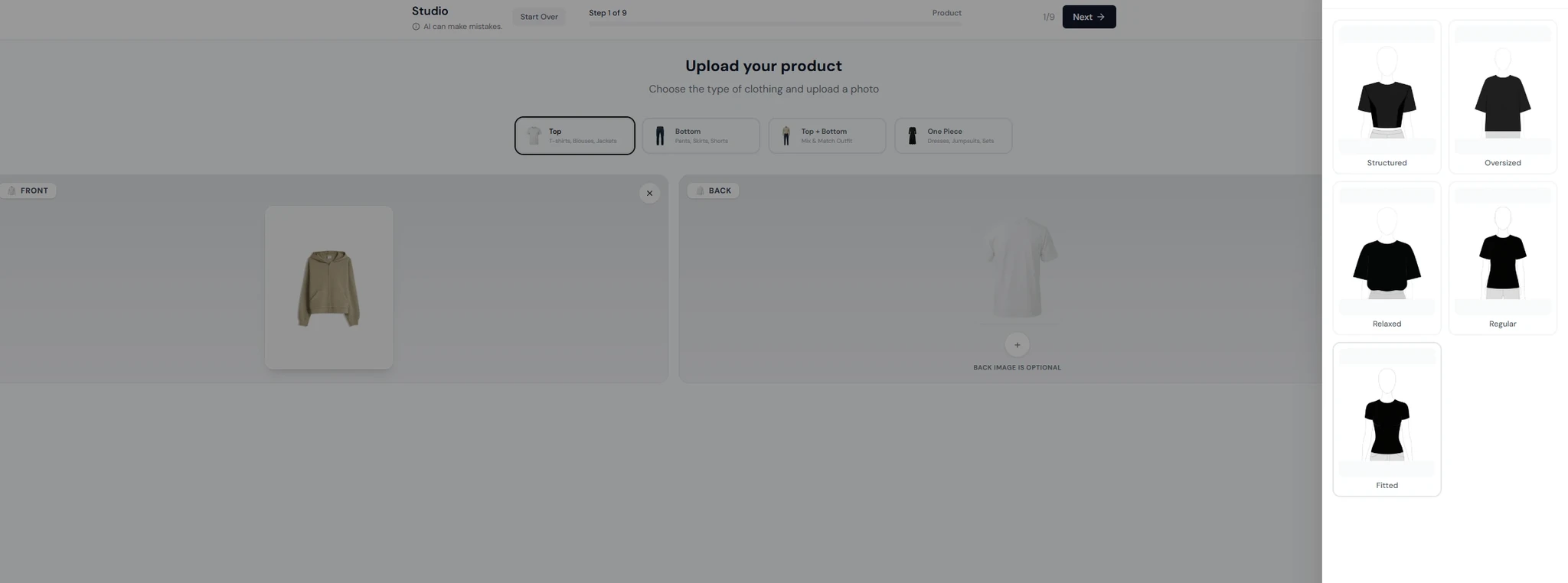
2K or 4K resolution. 7 available formats (square, landscape, portrait, story...). Strong overall output level. The platform also lets you add styling instructions — fit, silhouette, tuck — which helps achieve more precise renders.
📸 Realism
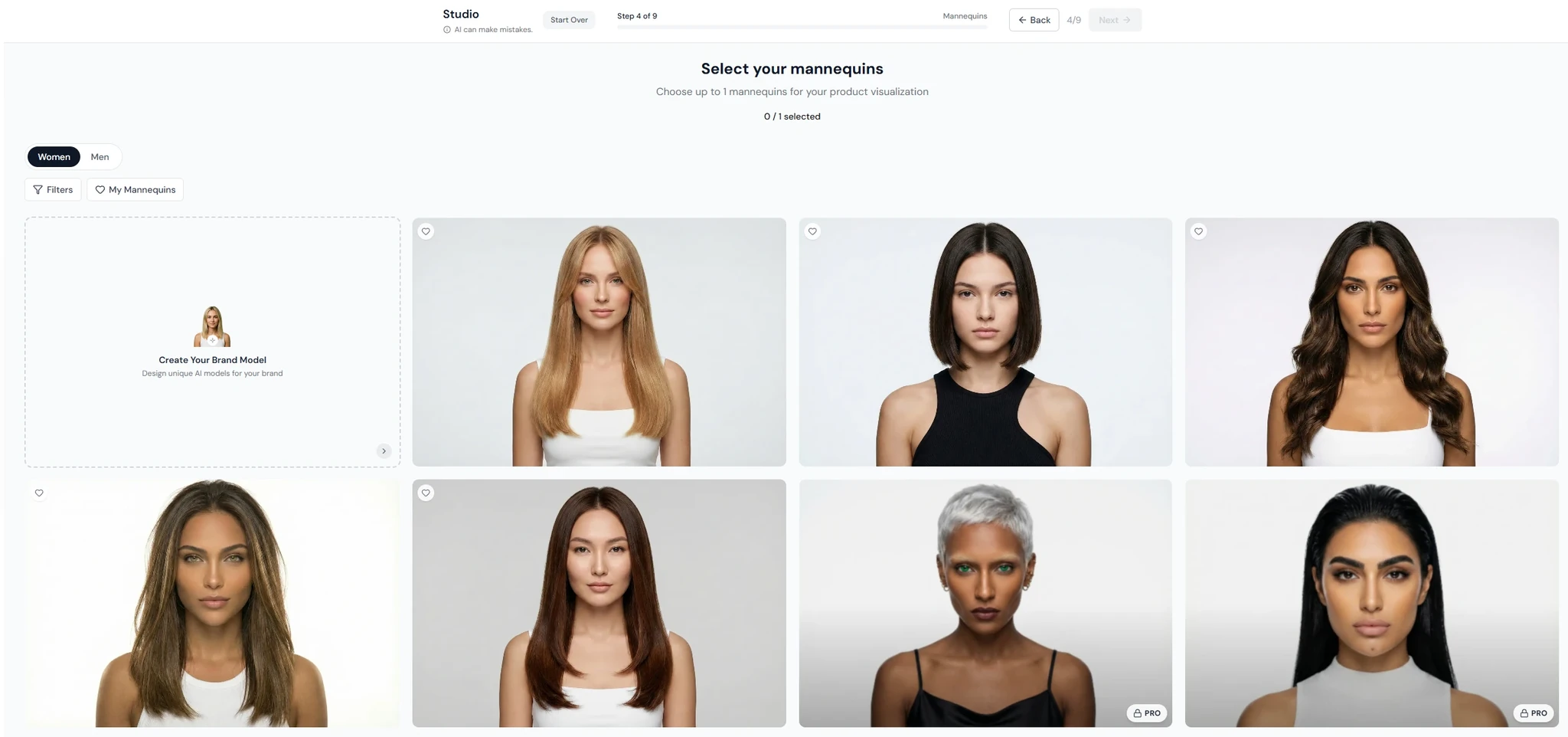
Models are generally well-rendered, though some present unrealistic characteristics — such as models with bright green eyes. This may be an intentional stylistic choice.
🎯 Consistency & Professionalism
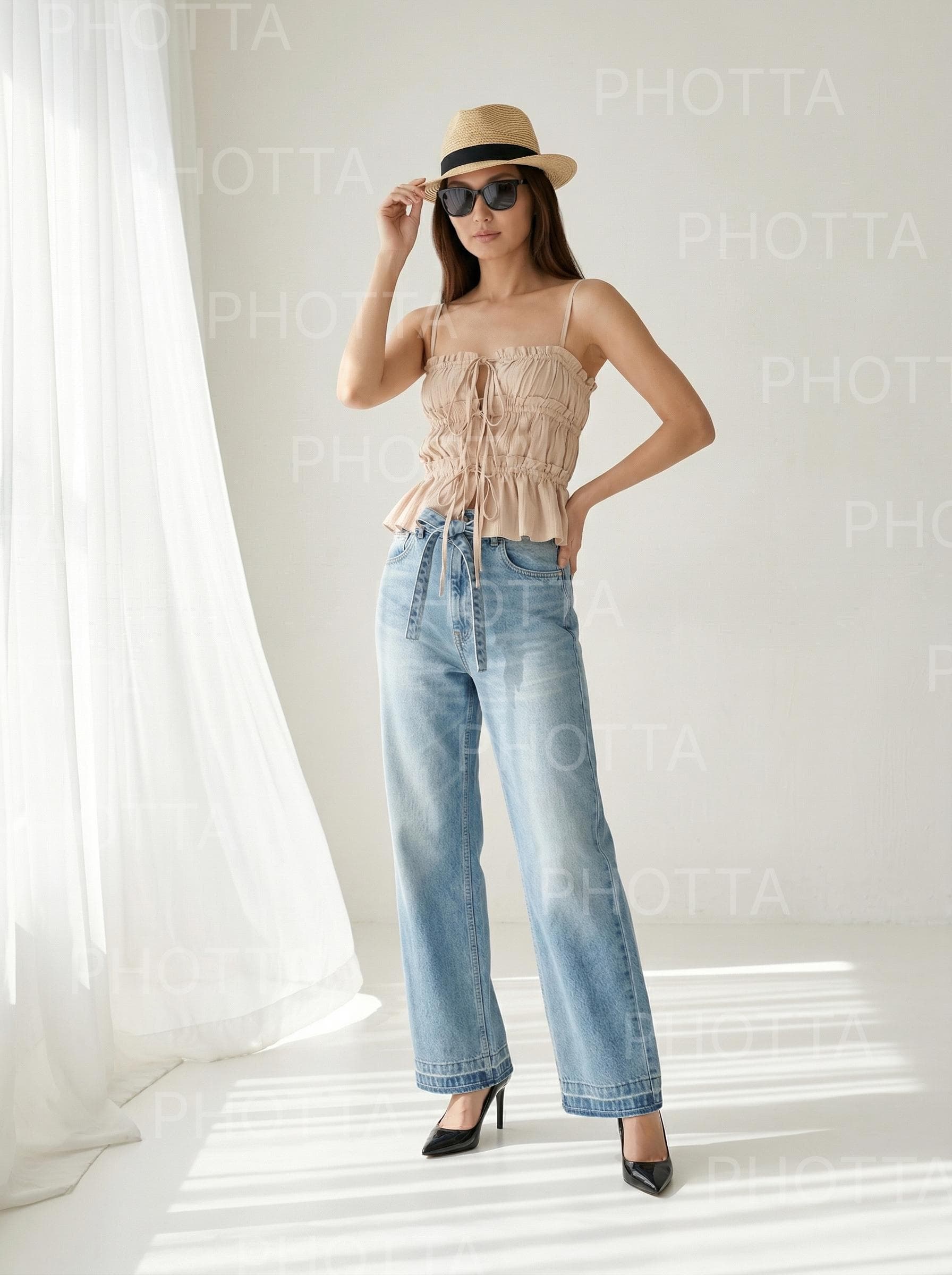
Generally satisfied with product faithfulness.
🧭 Ease of Use
The flow can feel slightly confusing when switching between product types (eyewear vs. clothing vs. jewelry). It is also not possible to resume an ongoing shoot. On the plus side, Photta provides pre-loaded product assets to help users get started.
💡 What I didn't find elsewhere
An interactive canvas where you can sketch and experiment quickly. Also noteworthy: within this canvas, you can choose the generation LLM (Nano Banana, ChatGPT, Grok...).
✅ / ❌ Pros & Cons
Pros: Reusable sets · Multiple formats · Choice of generation model
Cons: Visual artifacts · Cannot resume a shoot · Different flows per product type
5. Botika
In a nutshell: The tool with the most compelling onboarding on the market — you generate your first shoot before even creating an account.
Industries & Main Features
Industries: Fashion & Clothes
Features & Tools: Flatlay to on-model · Mannequin to on-model · Video
The Try-On Shoot
🎨 Creativity
Over 20 original backgrounds available. Option to choose a solid background color. A wide variety of models to choose from. Kids and babies models are only accessible from the Advanced Plan at $192/month (as of 10/04/2026).
📈 Scalability
Botika limits generation to 100 images/user, after which your jobs are deprioritized in the queue. Batch mode is theoretically available but proves difficult to use in practice, at least on standard plans. API and advanced workflows are accessible on the Enterprise plan only.
🏆 Consistency & Professionalism
Generally professional output quality.
📸 Realism
Fairly realistic, though skin texture is slightly too smooth.
🎯 Consistency & Professionalism
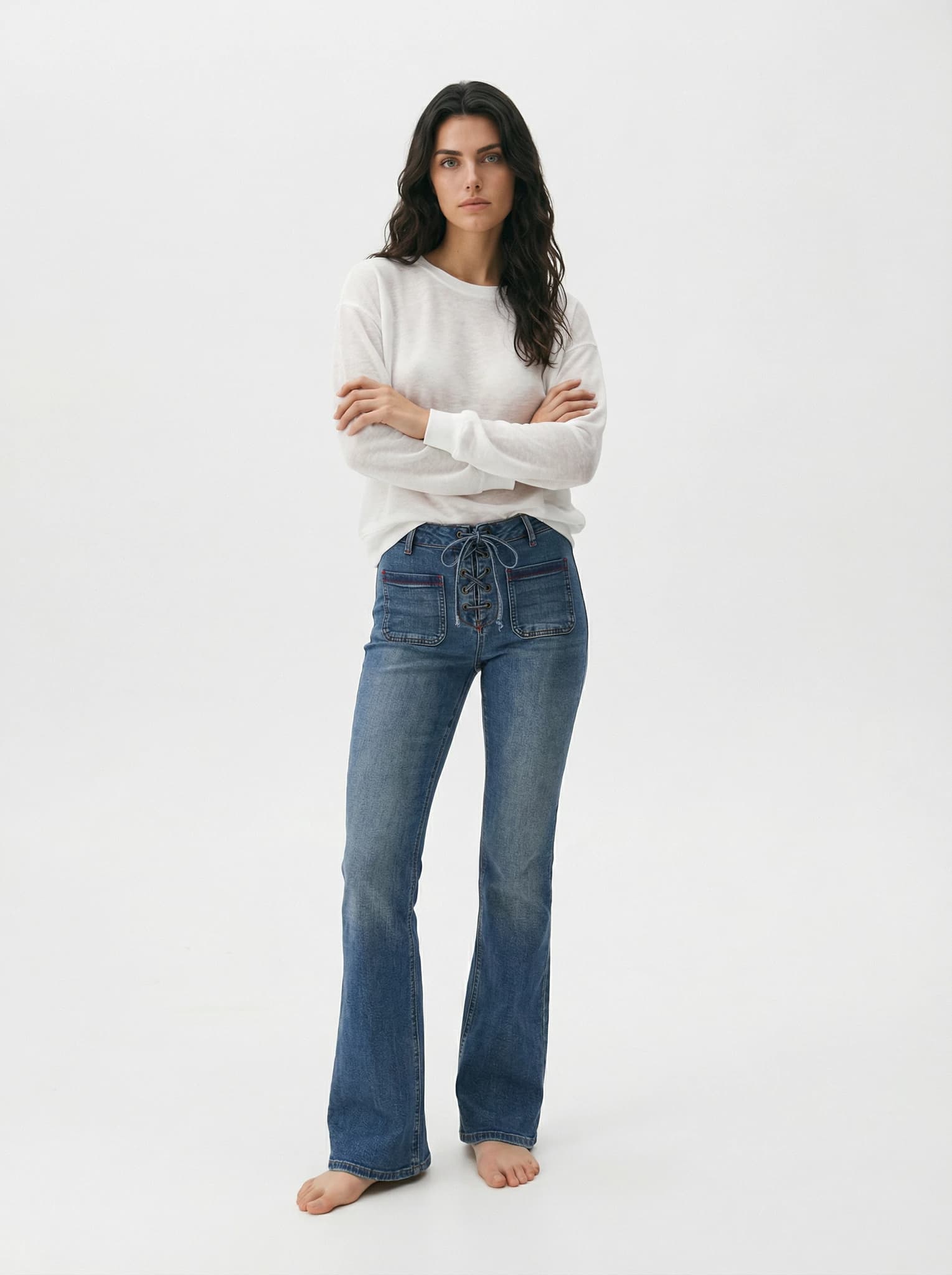
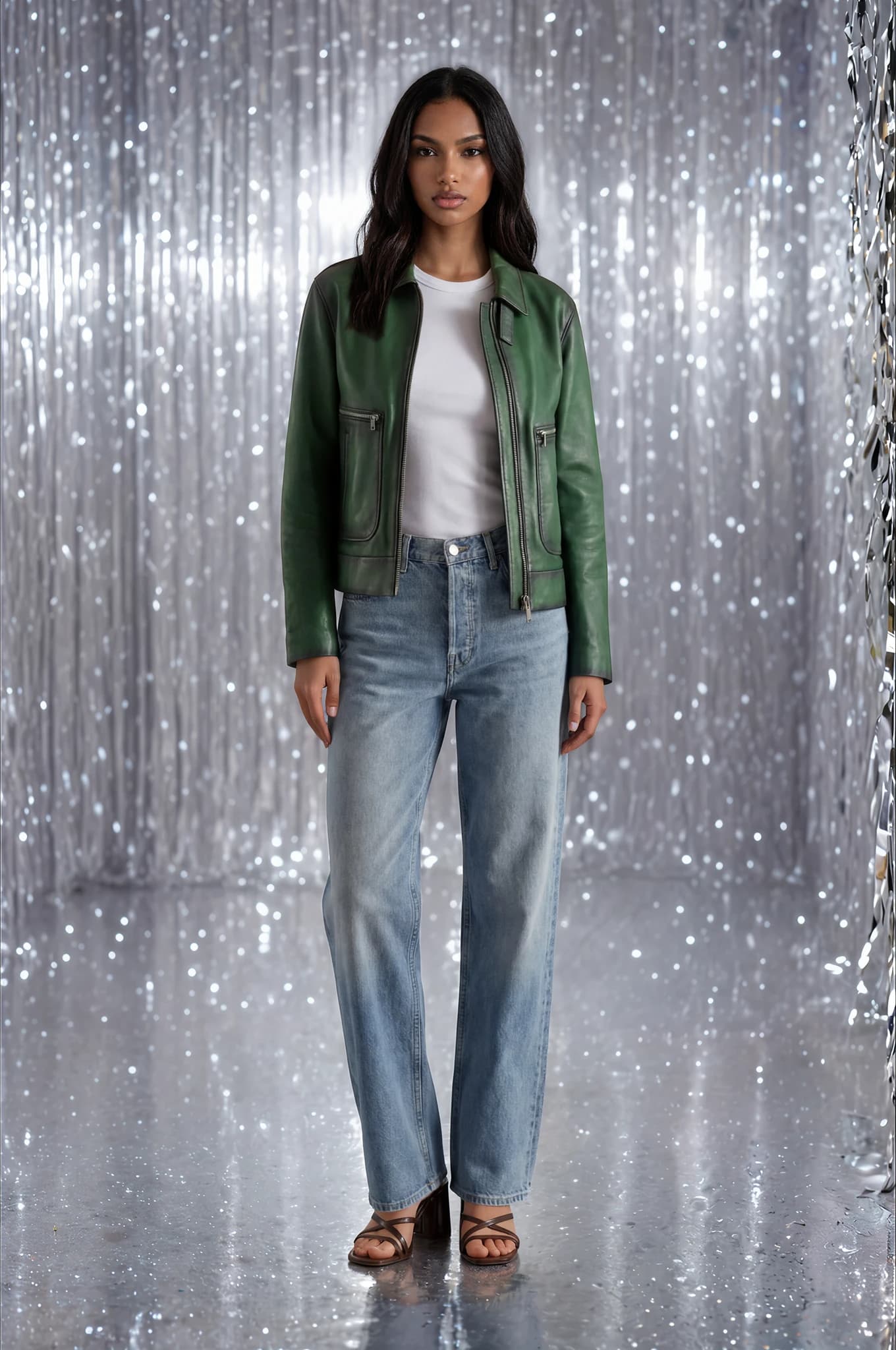
Inconsistent product faithfulness — during our test, the imported sweater was not rendered correctly. Re-generations are sometimes necessary. Other generations worked very well.
🧭 Ease of Use
Thanks to their simple and effective onboarding, you understand the product within a minute: right from the landing page, before account creation, Botika walks you through generating a shoot. One downside: when building a shoot, selected assets (product, pose, model, background) disappear from view as you progress — leading to a somewhat blind creation process.
💡 What I didn't find elsewhere
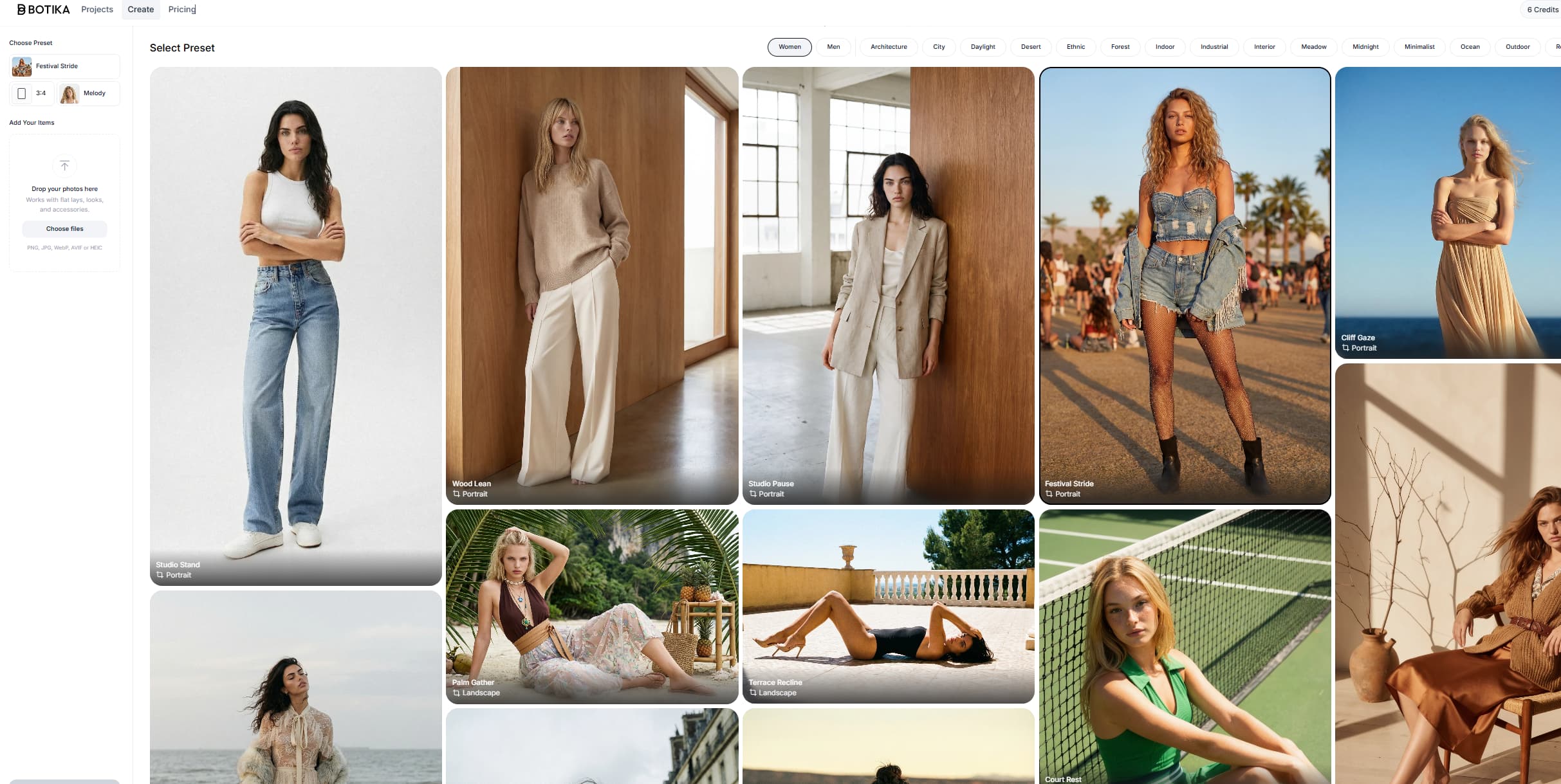
Botika lets users create editorial photos from pre-generated scenes. You select the editorial image you like, then simply swap the products. A unique approach that maintains editorial consistency while varying the items.
✅ / ❌ Pros & Cons
Pros: Very clear onboarding · Professional output · Editorial photos
Cons: Batch mode hard to access · Selected assets not visible during creation
6. The New Black AI
In a nutshell: The only tool that goes beyond the photo shoot to cover the entire fashion creative chain — from moodboards to AI trend tracking.
Industries & Main Features
Industry: Fashion & Clothes
Features & Tools: AI virtual try on · AI fashion models · AI tech pack generator · Moodboards & logo · AI Stylist · AI fashion trends
The Try-On Shoot
🎨 Creativity
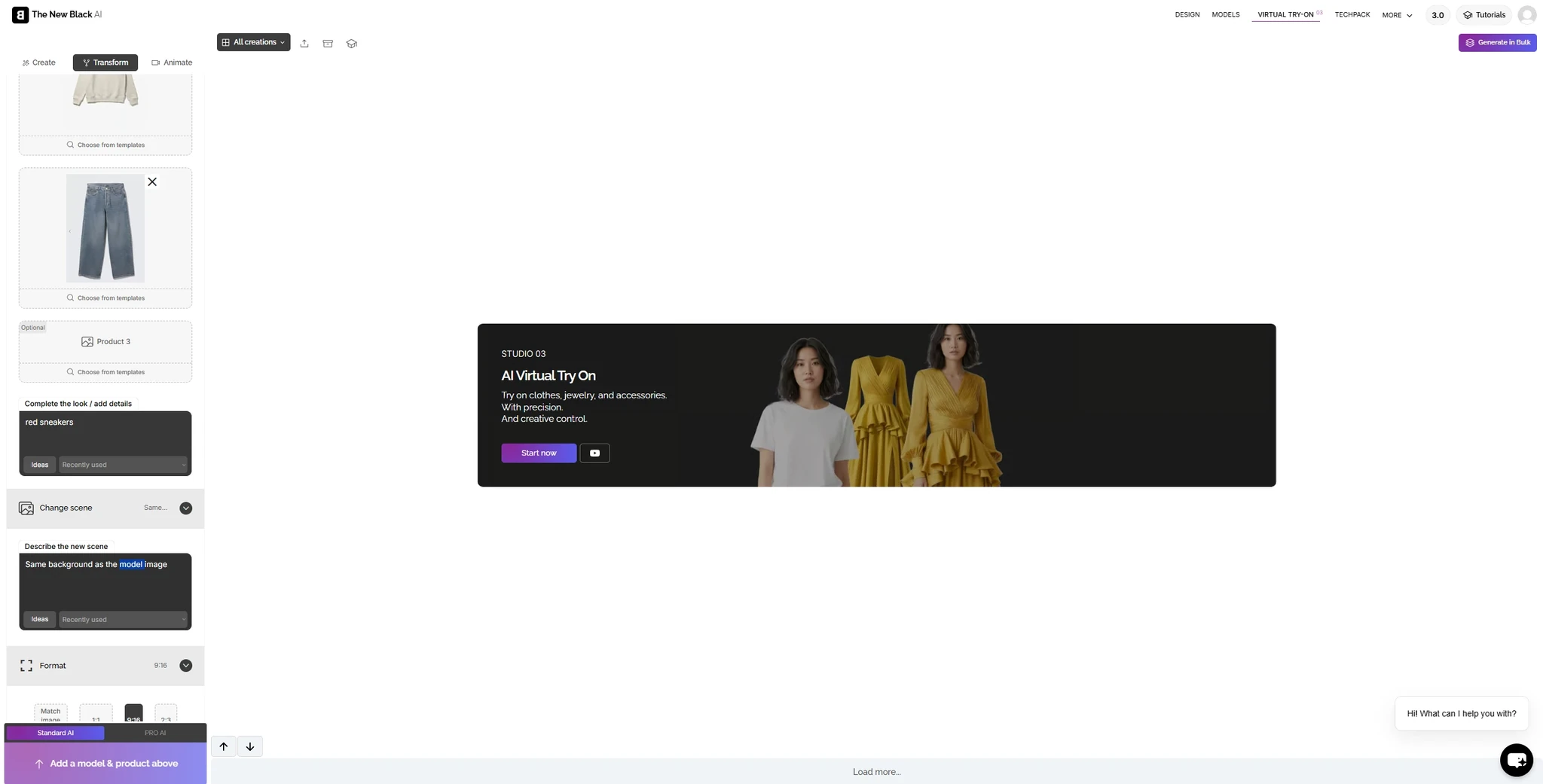
Brands can upload a model visual or generate one from scratch. They can also add prompt instructions at every step of the flow (model, look, background), enabling full creative control throughout the shoot.
📈 Scalability
"Generate in bulk" exists, but is reserved for higher-tier plans — not available on a standard subscription. Pricing is not transparent on this point.
🏆 Consistency & Professionalism
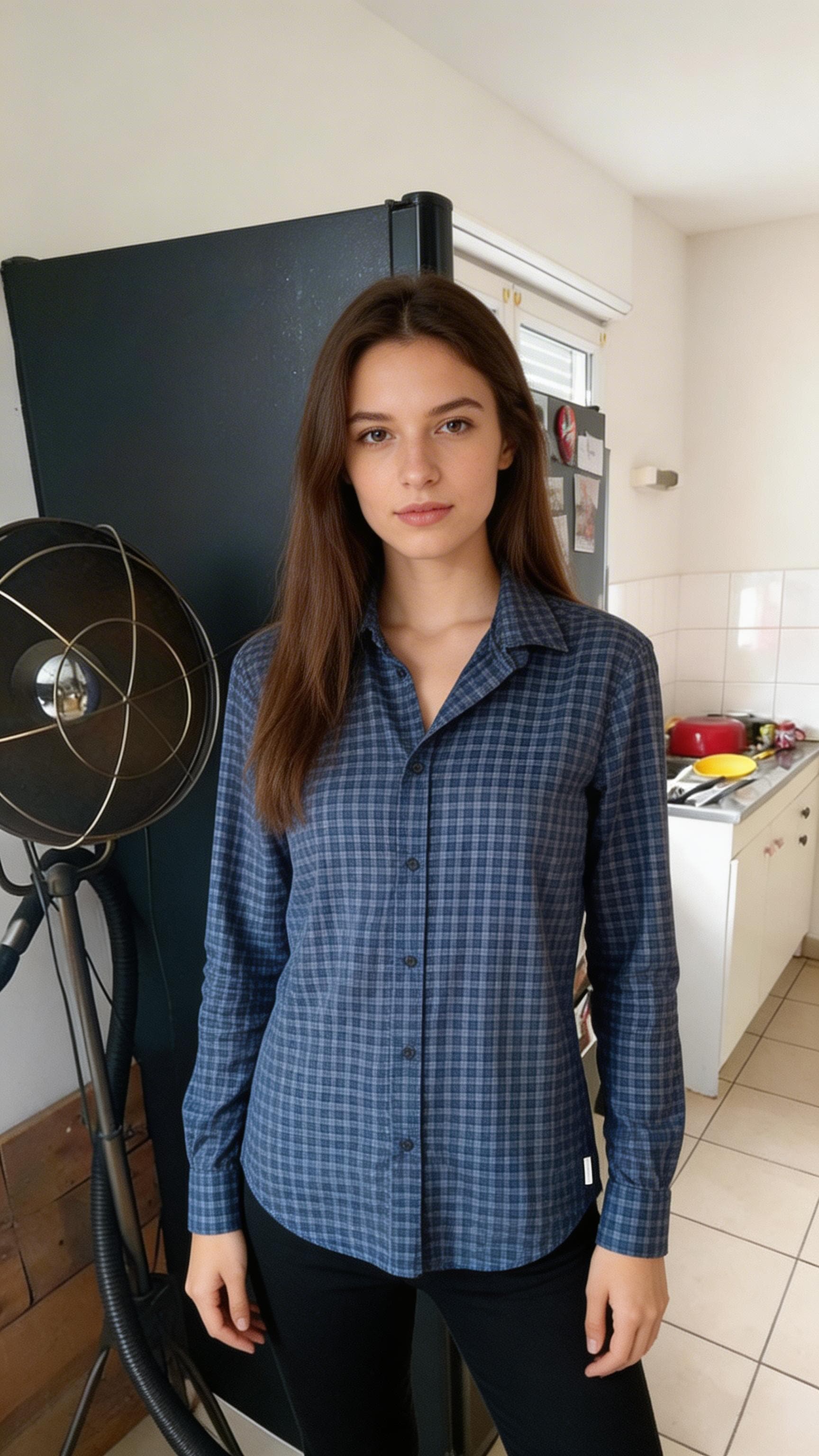
In the AI Virtual Try On free trial, prompting the model directly provides appreciated flexibility — though it can impact image consistency. For example, using the same prompt "Woman, 25 years old, brown hair", two noticeably different results were generated for the same product.
📸 Realism
Skin is slightly too smooth and backgrounds carry an AI quality, but with light post-processing it could work well.
🎯 Consistency & Professionalism
As shown in the images above, results are generally consistent across several different generations.
🧭 Ease of Use
Prompting at each step of the flow is a genuine plus for creative teams who want full control over the model's face, background, and pose. The drawback is that finding the perfect prompt can become time-consuming.
💡 What I didn't find elsewhere
The complete ecosystem: The New Black AI is the only tool that covers not just the photo shoot, but also tech pack generation, moodboards, AI styling, and fashion trend tracking. For a brand that wants to centralize everything, this is a compelling argument.
✅ / ❌ Pros & Cons
Pros: Full fashion ecosystem · Granular prompting · Unique features (trends, tech pack)
Cons: Batch mode reserved for premium plans · Pricing not transparent
7. Flair AI
In a nutshell: A creatively rich tool designed for product photography in general — not exclusively for worn fashion.
Industries & Main Features
Industries: Fashion & Clothes, Watches, Hats, Eyewear
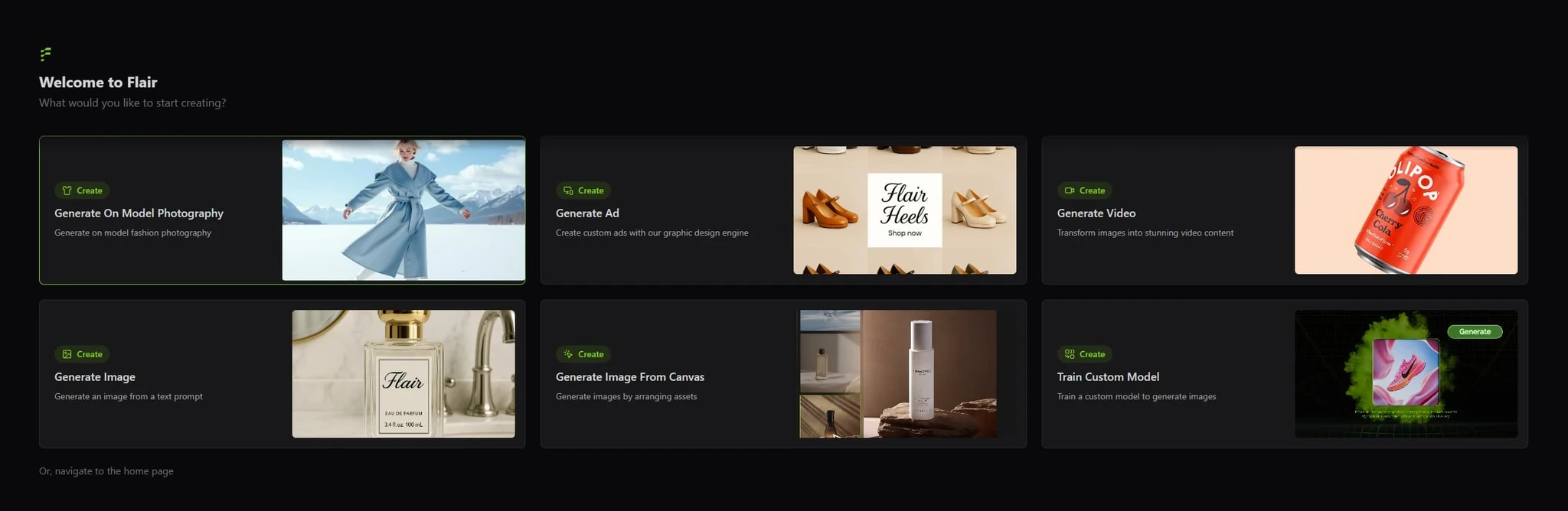
Features & Tools: On-model photography · Human builder · Video · Edit
The Try-On Shoot
🎨 Creativity
You can edit the scene description before generating. Background upload is supported. After generation, a full set of retouching tools is available: face upscale, erase, model swap, product swap. Brands can also import their own model image.
📈 Scalability
No batch mode or API found during our test. For large catalogs, this is a significant limitation.
🏆 Consistency & Professionalism
Resize and upscale features available. Background is inconsistent — it changes from one image to the next.
📸 Realism
Fairly realistic.
🎯 Consistency & Professionalism
Faithful on simple pieces, but background very different from the one initially selected.
🧭 Ease of Use
Model and background previews are displayed very small, making it hard to know exactly what assets will be used in the generation. That said, the ability to paste an image link at the start of a shoot is convenient.
💡 What I didn't find elsewhere
The Community Gallery: you can browse images generated by other users along with their inputs (prompts, parameters). A direct source of inspiration and a fast way to learn best practices.
✅ / ❌ Pros & Cons
Pros: Community Gallery · Post-generation editing · Multi-category (glasses, watches, clothing)
Cons: Not exclusively focused on fashion · No batch/API · Asset previews hard to read in the interface
8. Uwear AI
In a nutshell: A tool that bets on a conversational AI agent to drive generation — an innovative approach, but one that still has limitations for fashion brands.
Industries & Main Features
Industry: Fashion & Clothes
Features & Tools: Video · Upscale · Generate model · Edit · Swap model
The Try-On Shoot
🎨 Creativity
Model generation by prompt. Once the on-model image is generated, the brand can edit it (saturation, contrast, temperature, etc.) — standard photo adjustments accessible directly within the tool.
📈 Scalability
Batch upload up to 10,000 items via CSV. Available from the start, but batch mode proved too complex during our test: over 7 minutes of setup with no result. API access also available.
🏆 Consistency & Professionalism
Quality upscale available. Choice of generation models (Gemini, Seedream, Phota) — an interesting technical flexibility. Low consistency from one visual to the next as the brand must prompt the model each time.
📸 Realism
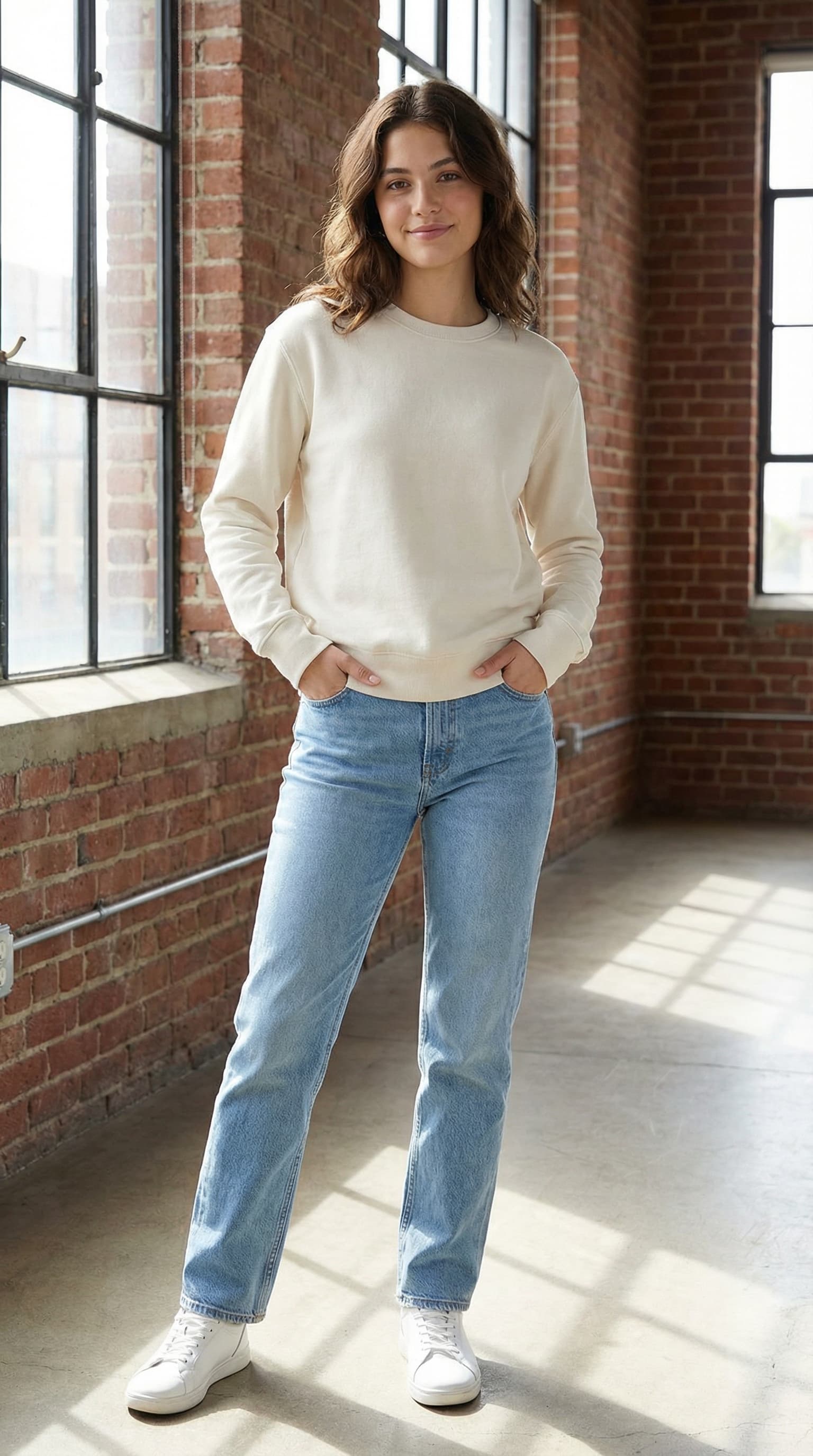
Fairly realistic, though the AI imprint remains visible, particularly on fabric texture.
🎯 Consistency & Professionalism
Generally faithful on simple pieces.
🧭 Ease of Use
Simple to understand, but limited visual granularity. Few camera angles are offered, and the previews are too small to read clearly. No background selection available.
💡 What I didn't find elsewhere
Mouza — a dedicated AI agent you interact with directly inside the platform to drive your generations. A conversational approach that is unique in this market.
✅ / ❌ Pros & Cons
Pros: Mouza AI agent · Choice of generation engine · Quality upscale
Cons: Batch mode unusable in practice · Mandatory prompting · Non-intuitive interface
9. Claid AI
In a nutshell: A highly capable AI photo retouching tool, with a fashion shoot feature that remains secondary to its core positioning.
Industries & Main Features
Industries: Fashion & Clothes, All product types
Features & Tools: Improve quality and upscale · Remove background · AI photoshoot · AI background templates · Erase brush · Light fix · Resize & Expand
The Try-On Shoot
🎨 Creativity
7 poses per model · Prompting possible before generation (not available in free trial).
📈 Scalability
Batch processing available via API. Plans from ~$19/month with API credits. Primarily oriented toward technical teams.
🏆 Consistency & Professionalism
7 formats available. Retouching features are advanced: erase brush, background removal, light fix. This is clearly Claid's strongest point.
📸 Realism
Image texture feels very digital and smooth — the AI imprint is clearly visible.
🎯 Consistency & Professionalism
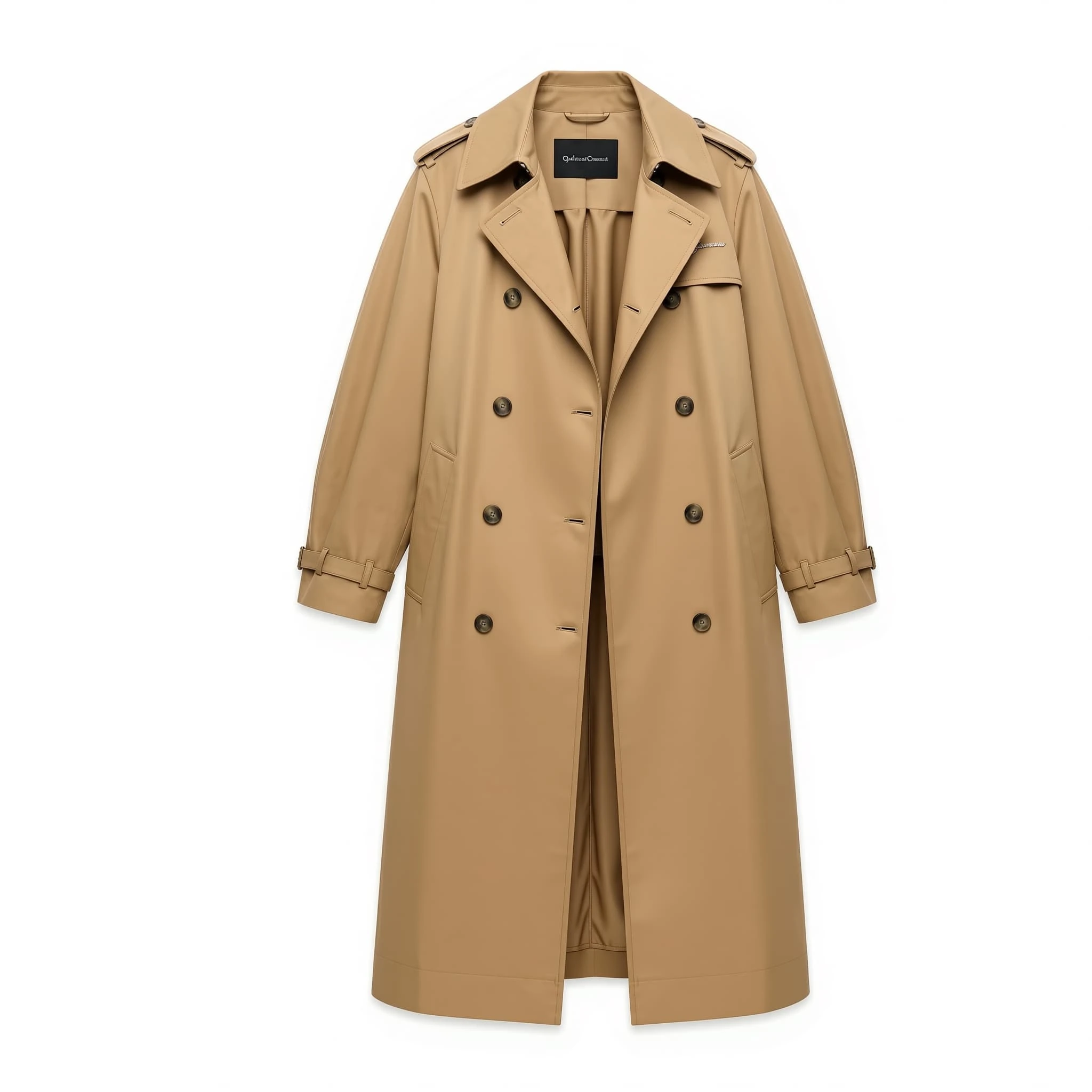
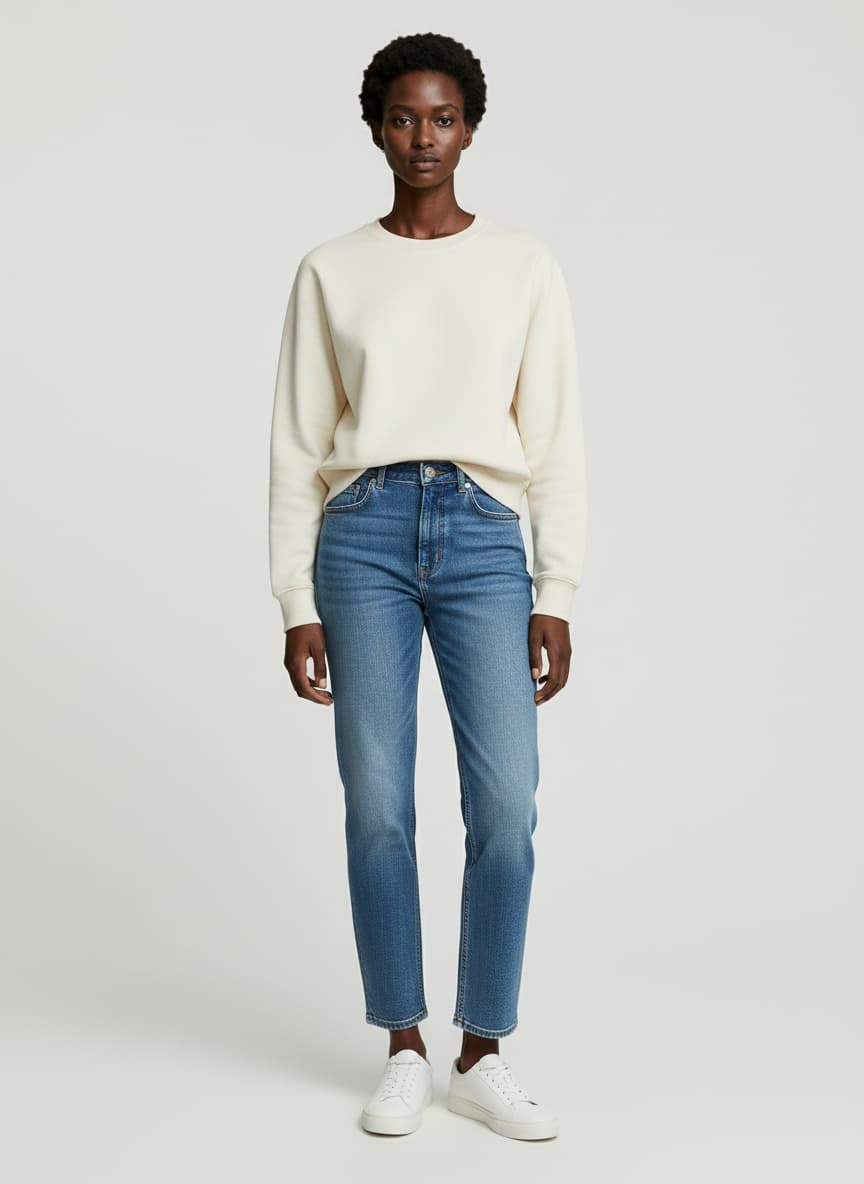
Poor consistency — garment not respected, texture unfaithful, details removed (e.g. the two belts on a coat disappeared entirely).
🧭 Ease of Use
The photo shoot flow is buried at the bottom of the sidebar, under "AI fashion model" — not at all intuitive. The platform does offer a tutorial video to guide users through the workflow.
💡 What I didn't find elsewhere
The most comprehensive photo retouching and enhancement features on the market. If your primary need is editing rather than shoot generation, Claid is probably the best tool available.
✅ / ❌ Pros & Cons
Pros: Advanced photo retouching · 7 formats · Quality upscale
Cons: Very poor product consistency · Fashion shoot is not the core focus · Non-intuitive navigation
9. Photoroom
In a nutshell: The most complete e-commerce photo editing suite on the market — fashion shoot is just one feature among a very comprehensive set of tools built for sellers at scale.
Industries & Main Features
Industries: Fashion, Food, Toys, Furniture, Pet products, Beauty, etc.
Features & Tools: Virtual Model · Product Beautifier · Product Staging · Background Removal · AI Backgrounds · Batch Editor · Magic Retouch · Resize & Expand · Brand Kit · API
The Try-On Shoot
🎨 Creativity
Wide choice of models, poses and backgrounds. Upload of a custom model for a personalized virtual try-on experience. Prompt to specify the scene. Covers clothing, accessories, jewelry, and eyewear.
📈 Scalability
Since March 2026, Virtual Model has been integrated into the Batch mode and the API, enabling on-model generation at scale. On-model batch is available from the Max plan (~$35/month) for up to 1,500 exports/month, and without limits via the API on the Enterprise plan (custom pricing, 200K+ images/year commitment).
🏆 Consistency & Professionalism
Integrates gpt-image-1 (OpenAI) · resolution up to 4K on higher plans · complete retouching suite (background removal, shadows, cropping). One of the most comprehensive on the market for e-commerce.
📸 Realism
Clean and professional output. AI imprint sometimes visible on complex fabrics.
🎯 Consistency & Professionalism
Faithful on basics, imprecise on pieces with distinctive details (patterns, text). Photoroom itself warns that Virtual Model images are "interpretations" of the source content.
🧭 Ease of Use
Intuitive interface, available on iOS and Android. Virtual Model buried within a very large ecosystem — may require some adaptation time for new users.
💡 What I didn't find elsewhere
The ability to save custom models in the Brand Kit and reuse them across future collections — a brand consistency feature few competitors offer as seamlessly.
✅ / ❌ Pros & Cons
Pros: Ultra-complete e-commerce suite · On-model batch from Max plan · API available · Brand Kit with saved models · Mobile app
Cons: Fashion shoot not central to the product · Imprecise consistency on complex pieces · No real free trial
10. Fermat
In a nutshell: The tool that covers the entire fashion creative pipeline — from sketch to catalog photography — built for design teams as much as for marketing.
Industries & Main Features
Industries: Fashion & Clothes, Creative teams, Graphic & Prints, Retail & CPG
Features & Tools: Generate models · Outfit Try On · Video · Upscaler · Sketches to visuals · Visualize colored sketches · Change colors · Change materials · Moodboard generation · Technical drawing · Custom AI model training
The Try-On Shoot
🎨 Creativity
Catalog prompt, tops/bottoms/accessories try-on, custom AI model training on brand aesthetic. Change background 30x faster. Strong creative freedom overall.
📈 Scalability
Batch processing & API reserved for the Enterprise plan only (custom pricing). Available but not very visual — the interface lacks clarity for managing bulk generations efficiently.
🏆 Consistency & Professionalism
4K export · SSO · white label deployment · collaborative whiteboard. A serious option for enterprise teams.
📸 Realism
Photorealistic on simple pieces. AI imprint visible on fine fabric details.
🎯 Consistency & Professionalism
Satisfying on simple pieces, variable on complex patterns and prints.
🧭 Ease of Use
Whiteboard interface intuitive, but feature richness creates a learning curve. On-model generation not very intuitive for composing outfits.
💡 What I didn't find elsewhere
Fermat is the only tool that covers both the design pipeline (sketch-to-render, material application, technical drawings) and the marketing pipeline (catalog photoshoot, virtual try-on, video) in a single workspace. A compelling argument for teams that want to unify design and visual content.
✅ / ❌ Pros & Cons
Pros: Unified design + marketing pipeline · Custom AI model training · 4K export · Team collaboration · Batch mode available
Cons: Batch mode not visual and hard to manage · No real free trial · Learning curve on advanced features
10 other players in the space
The market for AI-powered fashion photoshoots is booming. Here are 10 more AI photoshoot tools worth trying out: WearView, Autoretouch, Veesual, Hautech, Piccopilot, Lalaland AI, Dresscode AI, Ayna, Betterstudio, and Flockshop AI.
We’ll be back very soon with a dedicated article!
Our Verdict
For brands that prioritize creativity: Veeton, Fashn AI, or Modelia.
For brands that want to scale quickly: Veeton, Photoroom or Fermat.
For brands that want a complete feature set: Veeton, The New Black AI, Fermat.
For teams that do a lot of retouching: Claid AI or Photoroom.