✨AI Photoshoot workflow
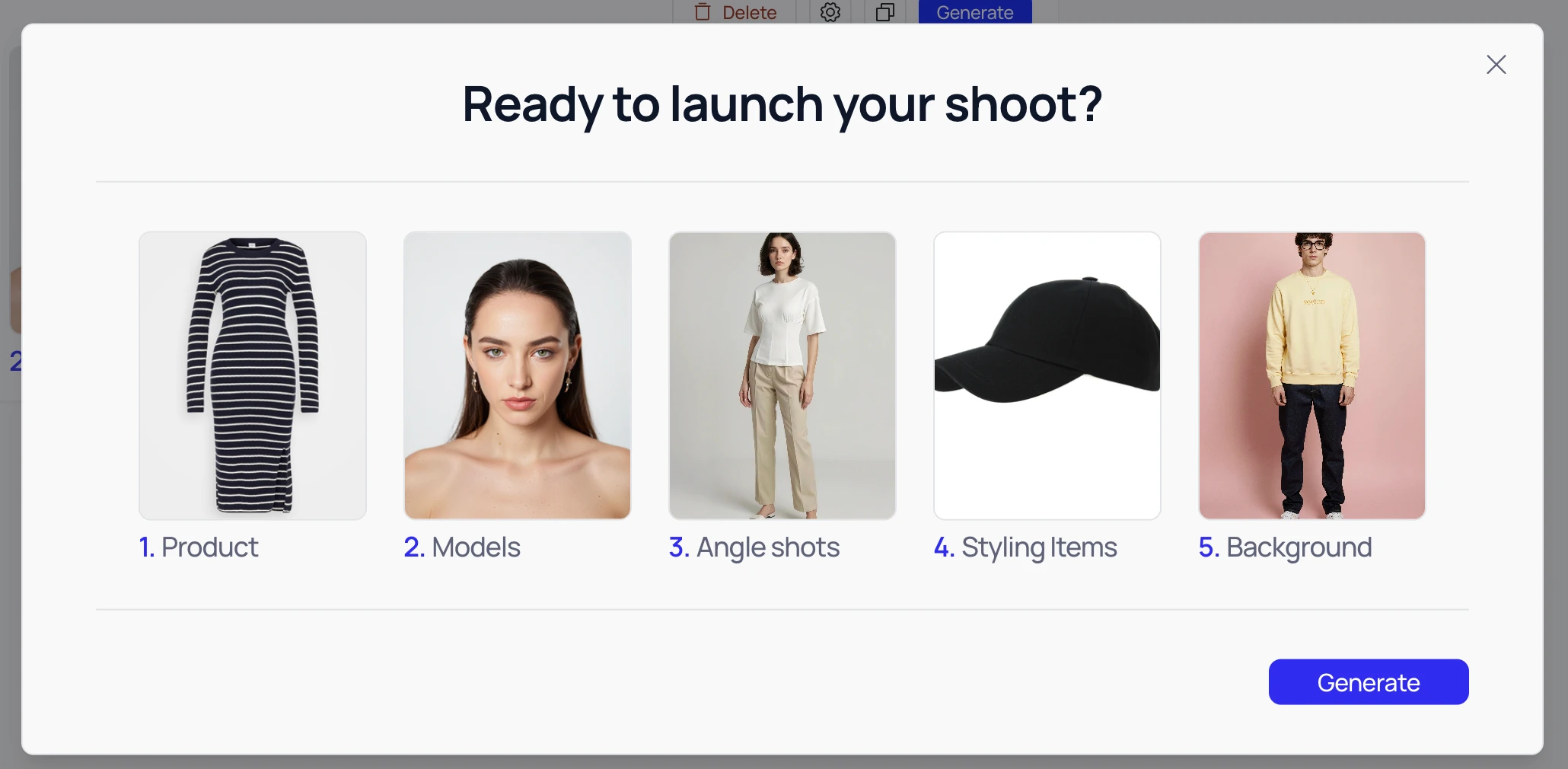
We've redesigned the Shoot Creation workflow to be significantly faster, more intuitive, and visually cleaner. Here are the five streamlined steps:
-
Select or Upload Products
Easily manage your inventory! Choose items directly from your Product Library or Upload New Products instantly to start your shoot.
-
Choose Your Models
Cast your shoot effortlessly. Select from our diverse Veeton Models or use your own unique, Generated AI Models (available on the Pro plan).
-
Define Angle Shots
Get the perfect perspective every time. Select pre-set shots specifically categorized for Adult or Baby products to ensure guaranteed visual accuracy.
-
Style the Main Product
Bring your vision to life by adding depth and context. Use a vast library of Styling Items (clothing, accessories, jewelry, etc.) to complete your product's look.
-
Select the Background
Set the perfect mood in one click. Choose from our curated aesthetic options: Vivid, Monochrome, or Pastel.
✨ New Batch Mode
When you select two or more products, Batch Mode opens automatically. The Batch Mode panel appears on the left, guiding you through the same steps as before: choosing products, models, angle shots, styling items, and backgrounds.
From the panel, you can apply each selection to all products at once or to specific products using the “Apply to All” or “Apply to X” button.
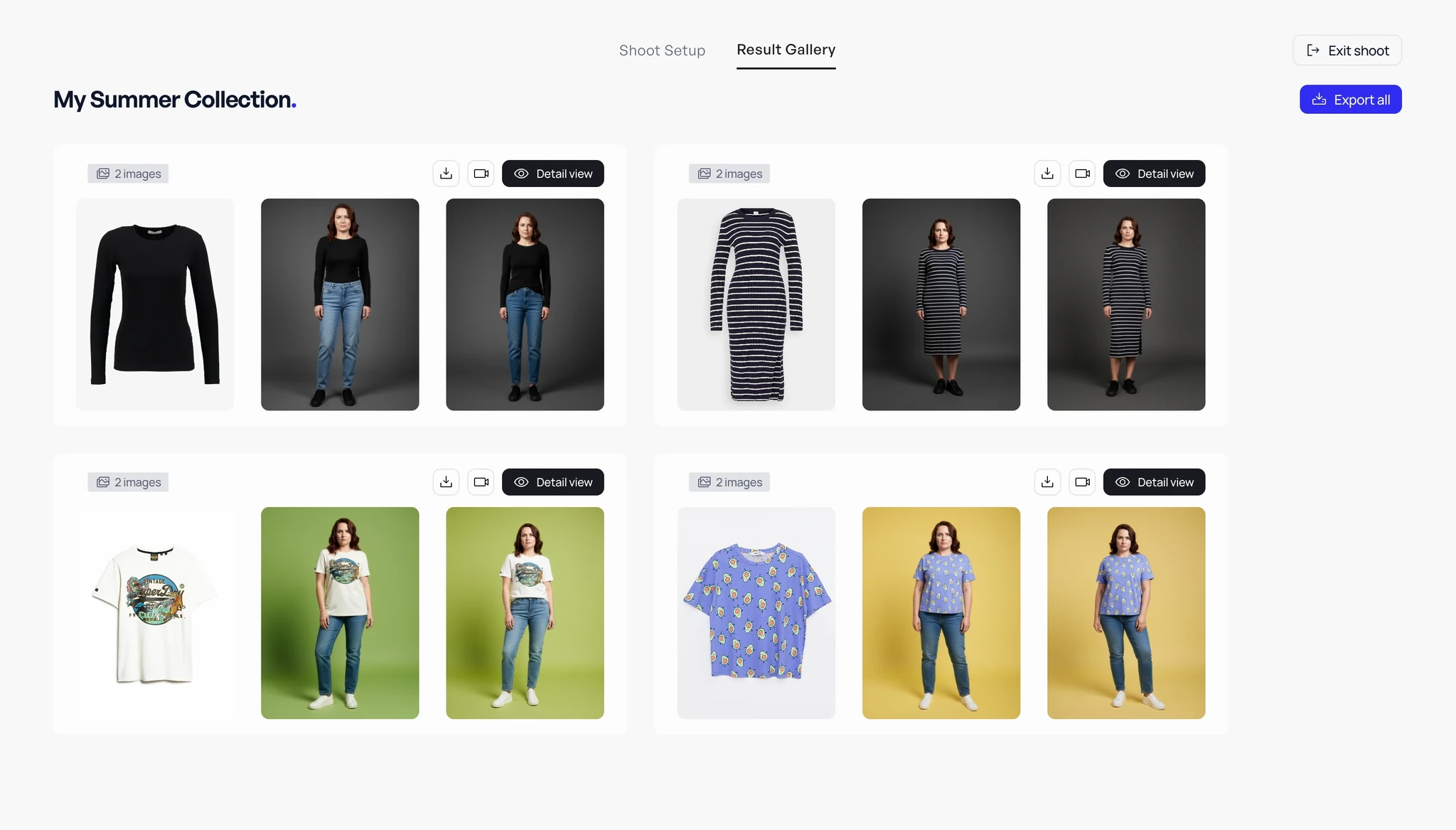
📷 Gallery of your On Model Fashion Shoots
The Result Gallery lets you view all images across all products in your shoot. You can export images per product or export all at once, and you can also create animations or videos as usual. For a closer look, click Detail View to access a high-detail version of your shoot.