
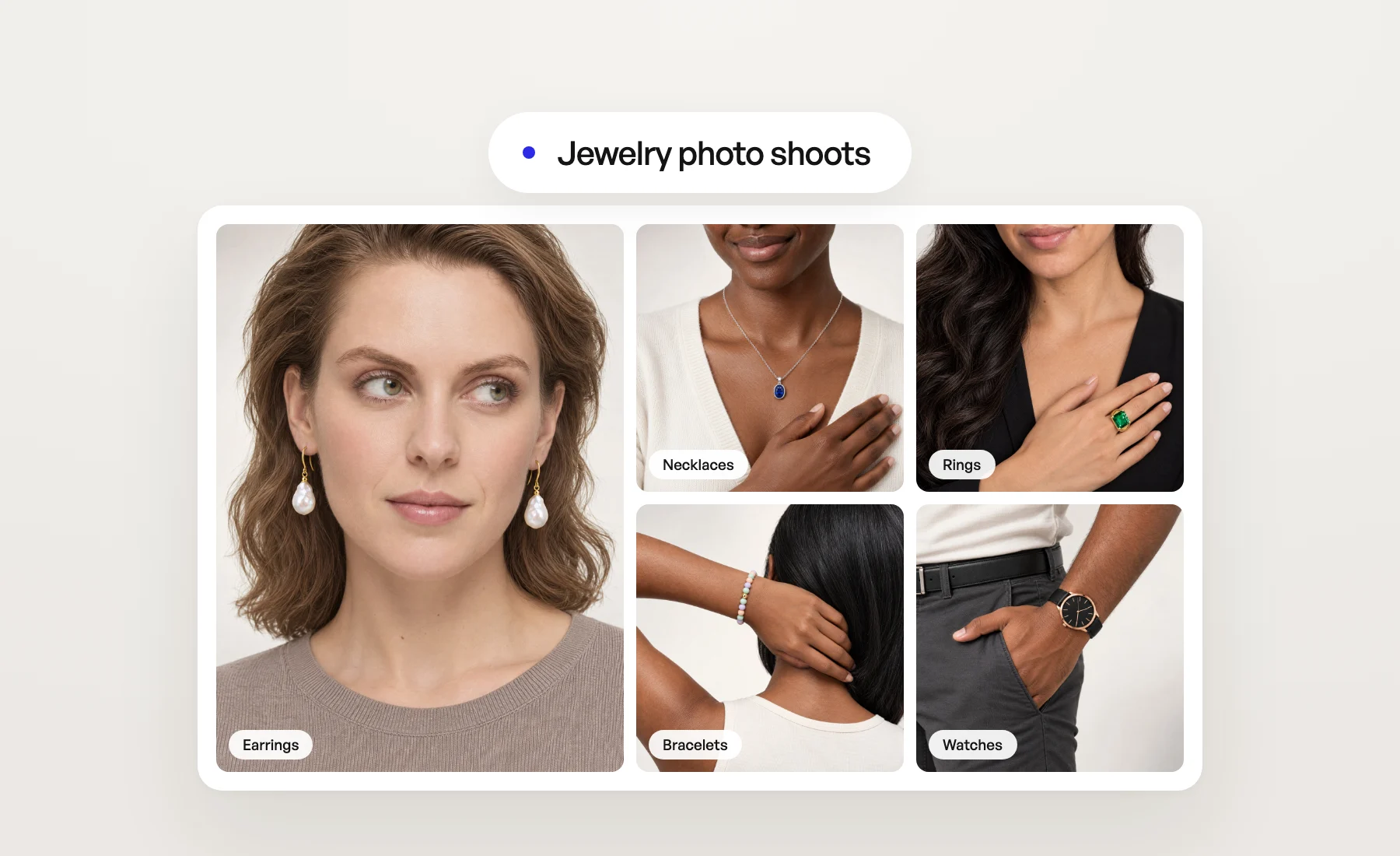
A ring on a hand sells better than a ring on white. But worn jewelry is the hardest photo in fashion to produce: the piece is tiny, the framing has to be exact, and a model day for one season of earrings rarely pays off. So most jewelry pages show packshots only.
Photo shoots in Veeton now have a Jewelry category. Upload a packshot of your earrings, necklace, pendant, bracelet, ring or watch, pick a model, and get photos of the piece worn, framed so that the piece is the subject of the image.
From a packshot to a worn photo
You start from the product photo you already have. Veeton reproduces the piece from it, its shape, its stones, its metal color and its details, and places it where it is worn: on the ear, at the neckline, on a finger, around the wrist. The model, the light and the background come from your photo shoot settings, as for clothing.
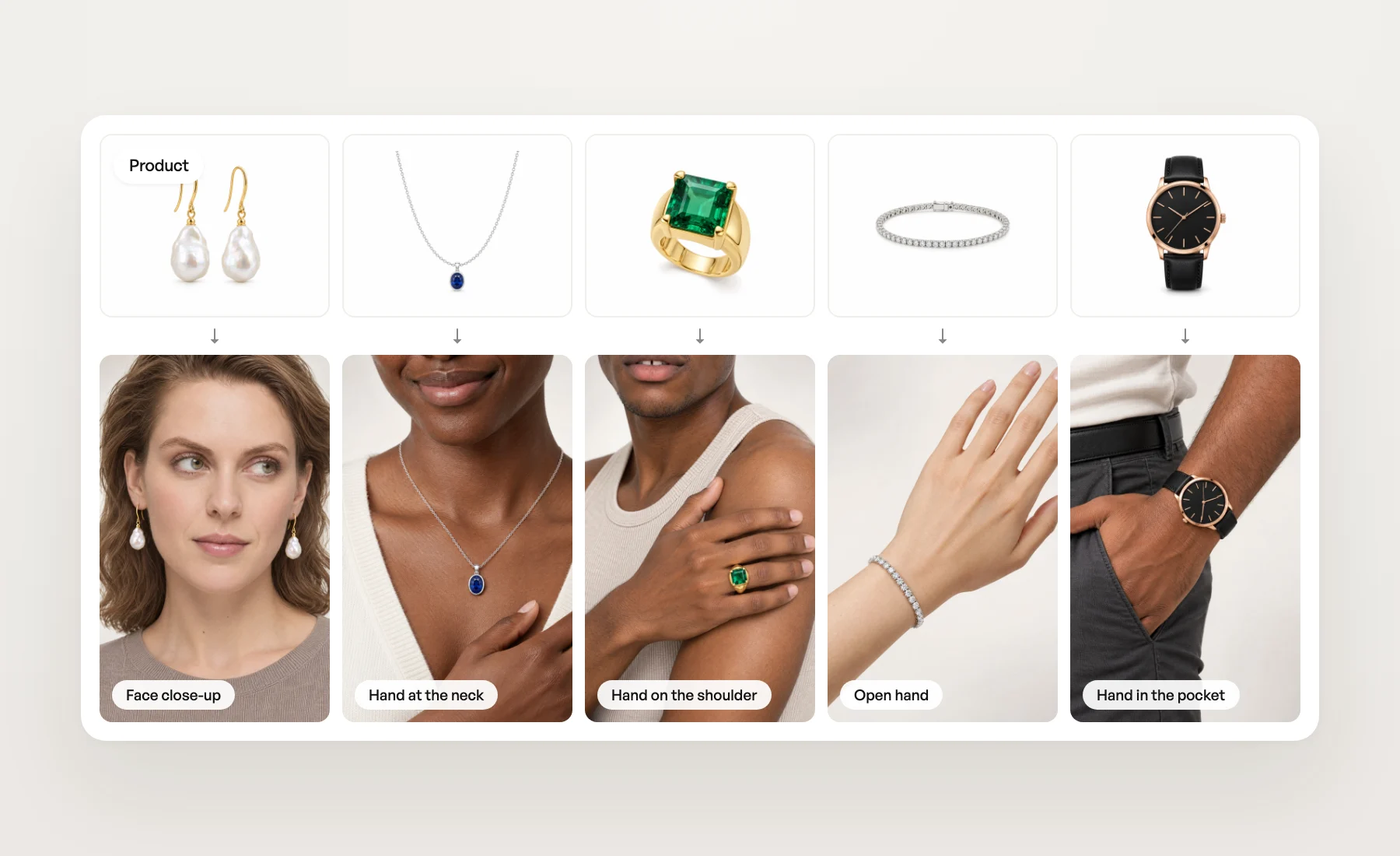
18 angle shots, framed on where the piece is worn
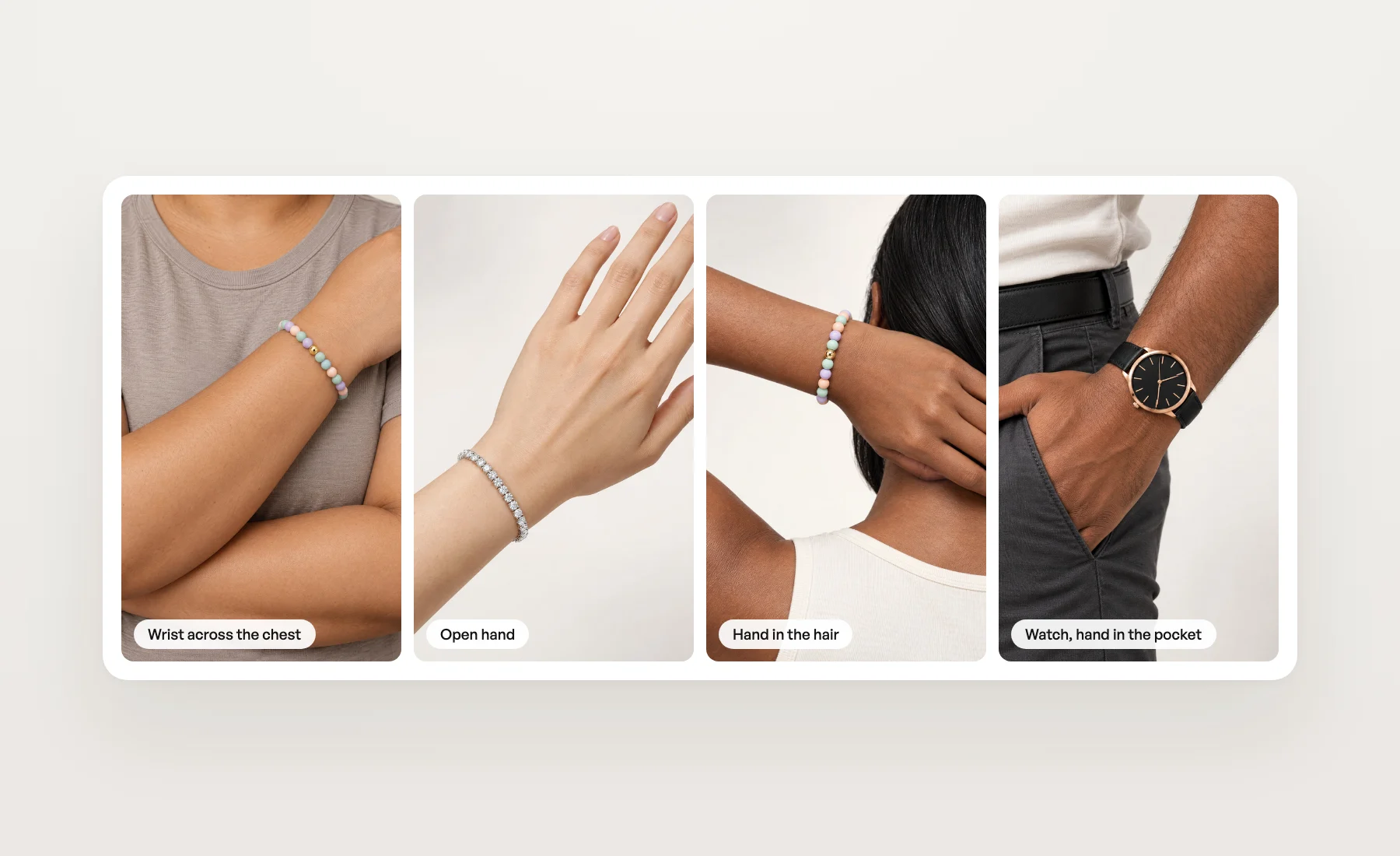
A fashion angle shot shows the whole outfit, and a fine chain disappears in it. The Jewelry tab of the angle shot picker holds 18 angle shots of its own, each built around one part of the body:
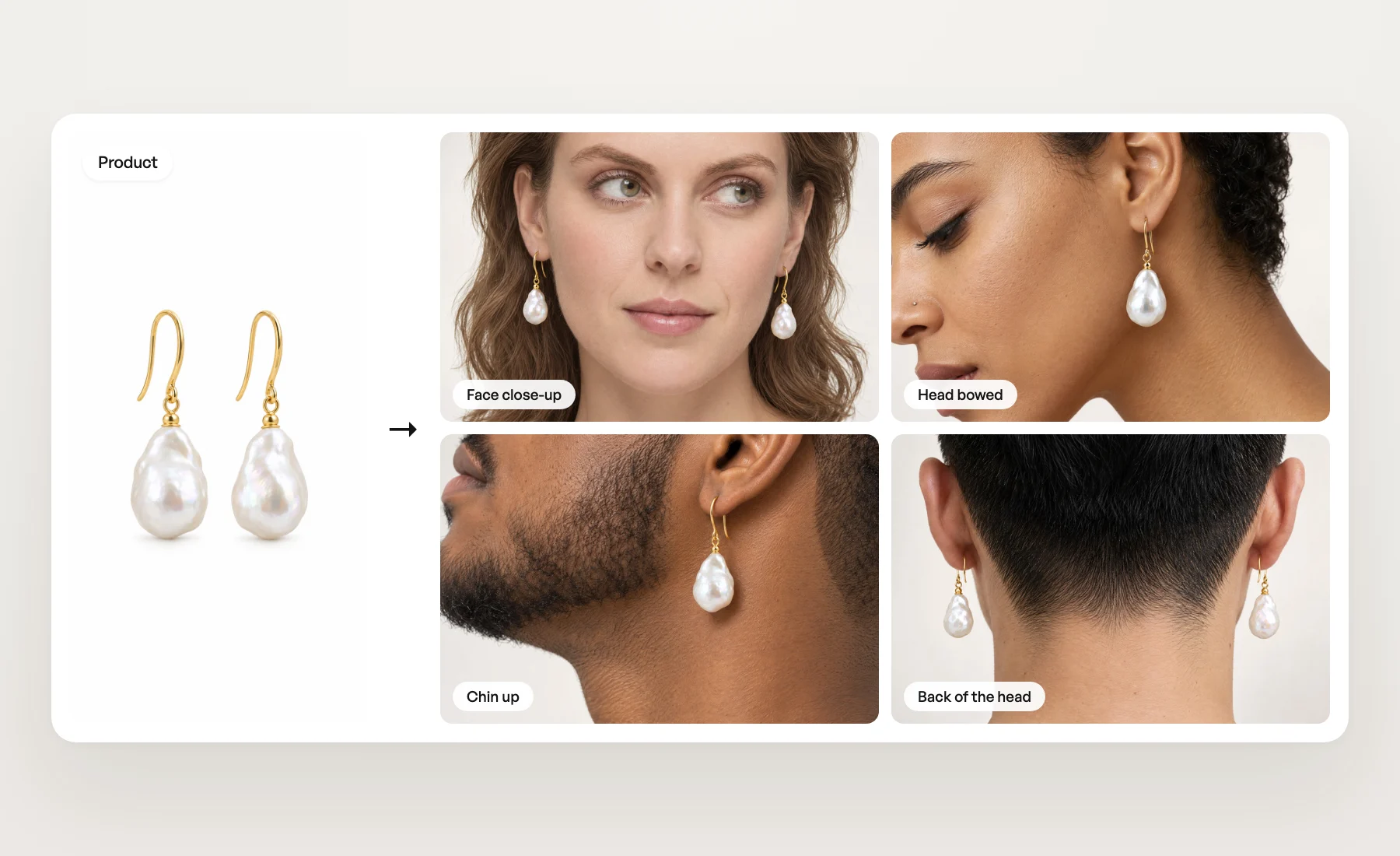
- Earrings: Ear profile, Head and neck profile, Face close-up, Back of the head, Head bowed and Chin up.
- Necklaces and pendants: Neckline, Hand at the neck and Lying down.
- Rings: Hand on cheek, Back of the hand, Hand on the shoulder and Open hand.
- Bracelets and watches: Chin on hand, Wrist across the chest, Watch on the wrist, Hand in the hair and Hand in the pocket.
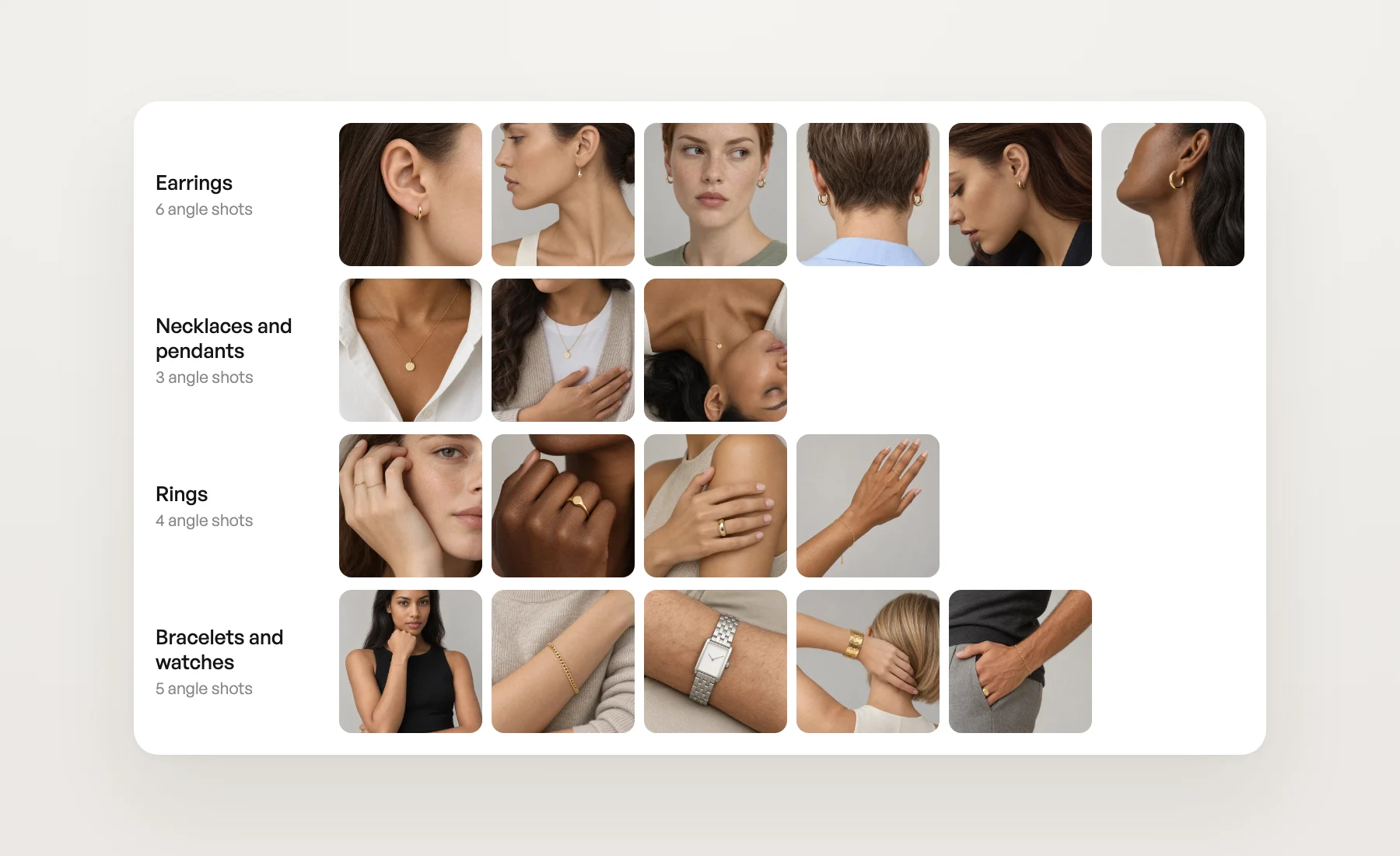
Pick several and one launch gives you a full set for a product page: the close-up, the profile, the piece in movement.
Start a jewelry photo shoot
- Use Create at the top of the sidebar, or open Photo shoots under Studio.
- At "What are we styling today?", pick Jewelry.
- Add your piece as the main product, then choose your models, angle shots and backgrounds as in any photo shoot.
You can also start from the product. In Library › Products, open the ⋯ on the card and click Photo shoot: a product filed as earrings, a necklace or pendant, a bracelet, a ring or a watch opens straight on the Jewelry category.
What to expect
- The piece comes from your photo. Use a sharp packshot where the whole piece is visible. What the photo hides, Veeton cannot reproduce.
- One piece per image. Each image shows your main product. Earrings are shown on the ear the angle shot faces, so a profile shows one earring of the pair, and Face close-up or Back of the head shows both.
- Size is read from the photo. Veeton has no measurements for your piece, so a chunky ring or a long chain can come out slightly larger or smaller than in real life. Fix a detail or Edit with AI on the result adjusts it.
- Square or 3:4. Jewelry angle shots come in one of the two. With Aspect ratio on Auto, your images follow the angle shot.
Tips for great results
- Match the angle shot to the piece. A ring on Neckline has nowhere to go. Use the list above as your guide.
- Go tighter for fine pieces. The closer the angle shot, the larger and sharper the piece. On a waist-up shot such as Chin on hand, a fine bracelet stays small.
- Bring your own framing. Upload a photo framed on the ear, the hand or the wrist as a custom angle shot and file it under Jewelry: it shows up in the same tab.
- Shoot several models at once. The same piece on different skin tones and hands shows how it reads on your customers.
A jewelry image costs the same as any photo shoot image. More in the Help Center.