
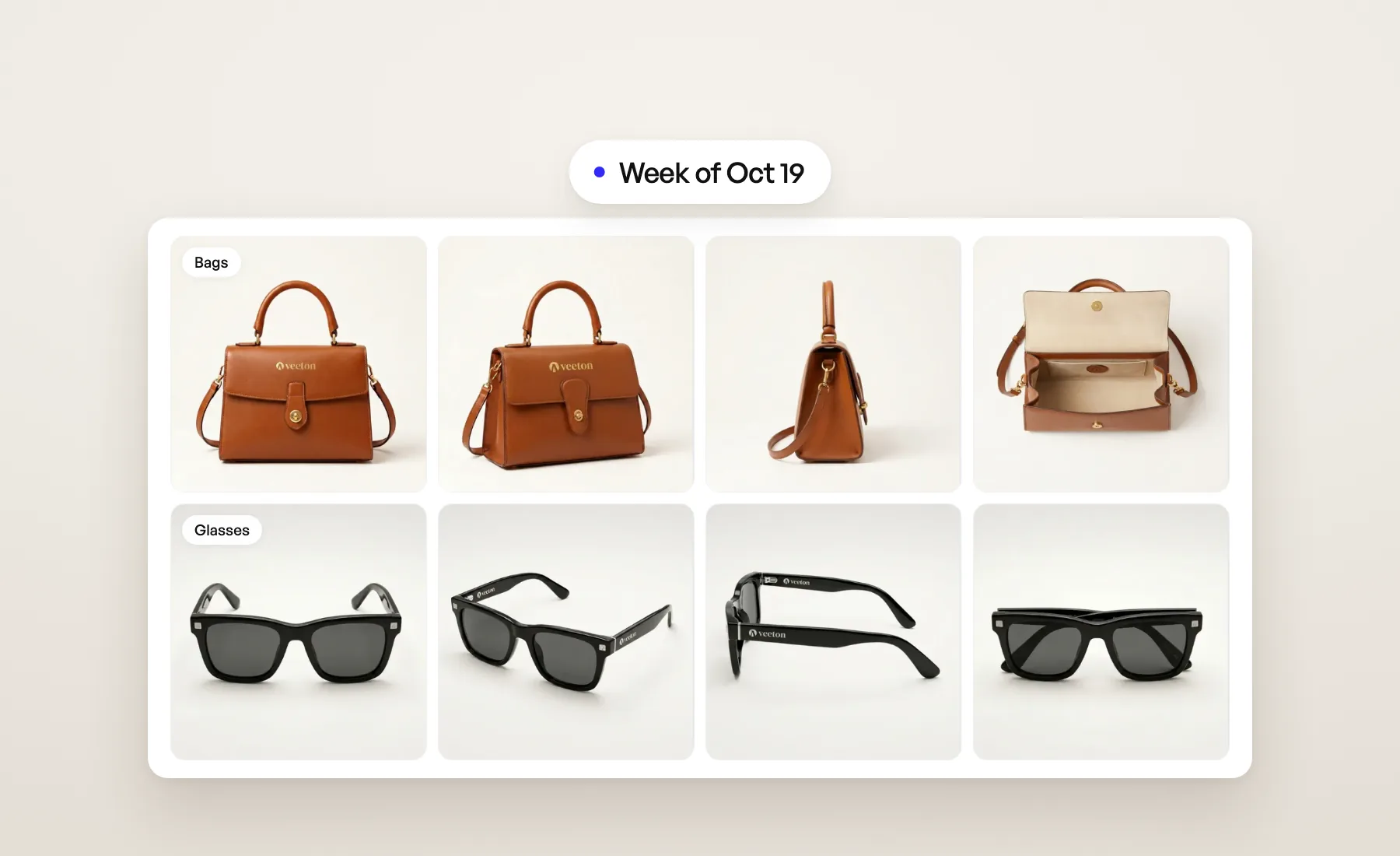
This week the Product beautifier takes on bags and glasses, Fix a detail listens to what you say is wrong, and Recoloring works on finished photo shoots.
Bags and glasses in the Product beautifier
The Product beautifier now has two more categories next to Clothing, Shoes and Headwear: Glasses and Bags.
- Glasses come out in Front, Three quarter, Side, Back and Folded. A print on one temple stays on the side it is on.
- Bags come out in Front, Three quarter, Side, Back and Open, from above. The open view needs a photo of the inside; without one, that image fails and you get your credit back.
When you add products, the picker now opens on the category you chose, shown as a chip you can remove to see everything. Products we haven't sorted yet show in every category, so nothing goes missing.
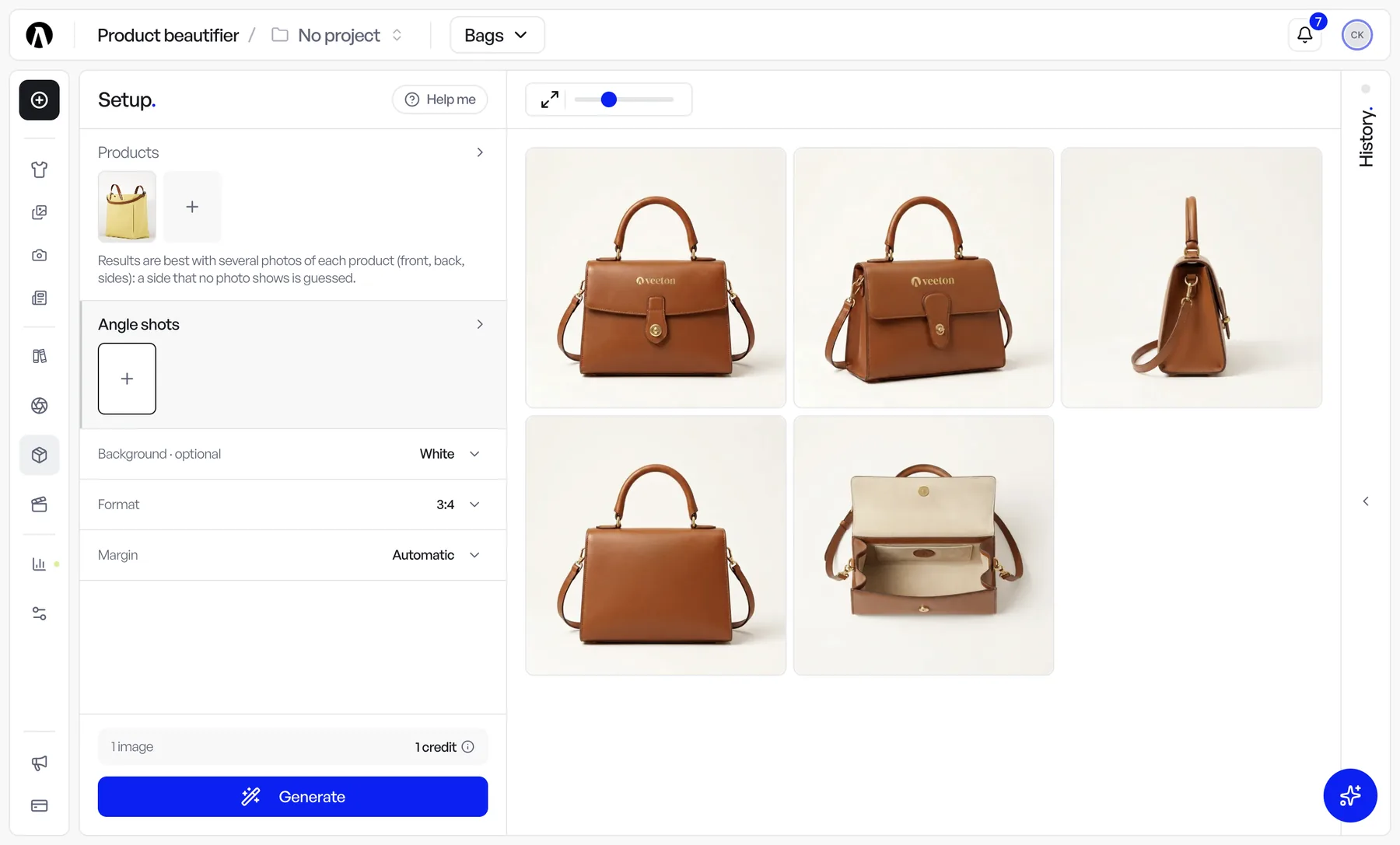
Tell Fix a detail what's wrong
Fix a detail now has a What's wrong? (optional) field, in Auto and in Manual. Write what you see and what it should be: "the logo is warped", "the buttons should be gold", "the left hand has an extra finger". Veeton works from your words. It helps most when the flaw isn't on the product itself, like an odd hand or a strap the garment doesn't have. Leave it empty and it works as before.
Fix a detail also gives up less often. It now keeps a repair that is clearly better than the original even when one small detail is still off, and it reads lettering with accents correctly. More in the help article.
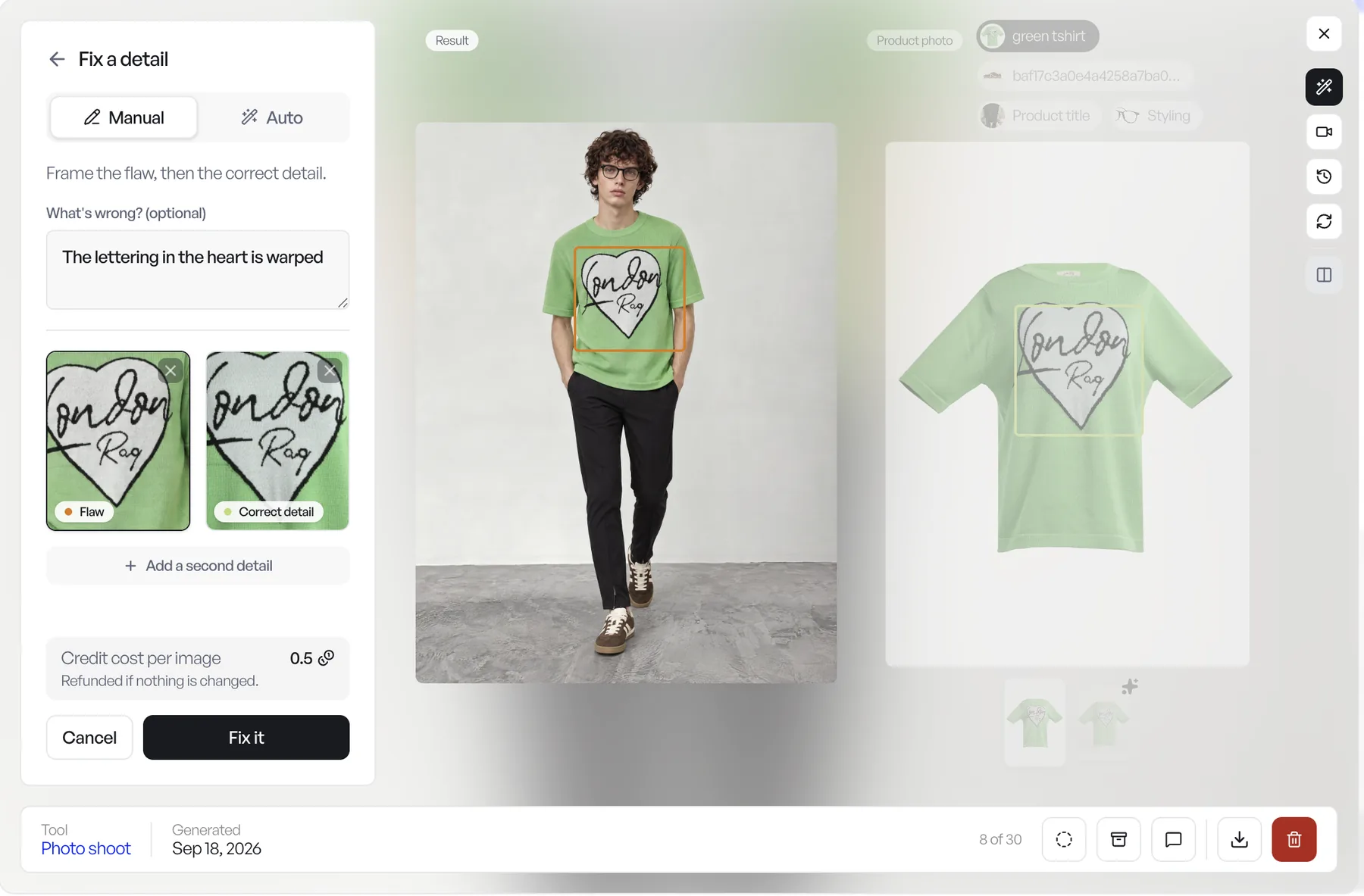
Recolor a photo shoot result
Recoloring no longer starts only from a product. Under Image source, pick Photo shoot, then choose one or several results from your gallery. A What to recolor (optional) field lets you name the piece, such as "the denim jacket" or "the stripes on the shirt", so only that garment changes while the model, the pose and the rest of the outfit stay as they are. Leave it empty and Veeton recolors the top. One shot, every colorway, without a new photo shoot.
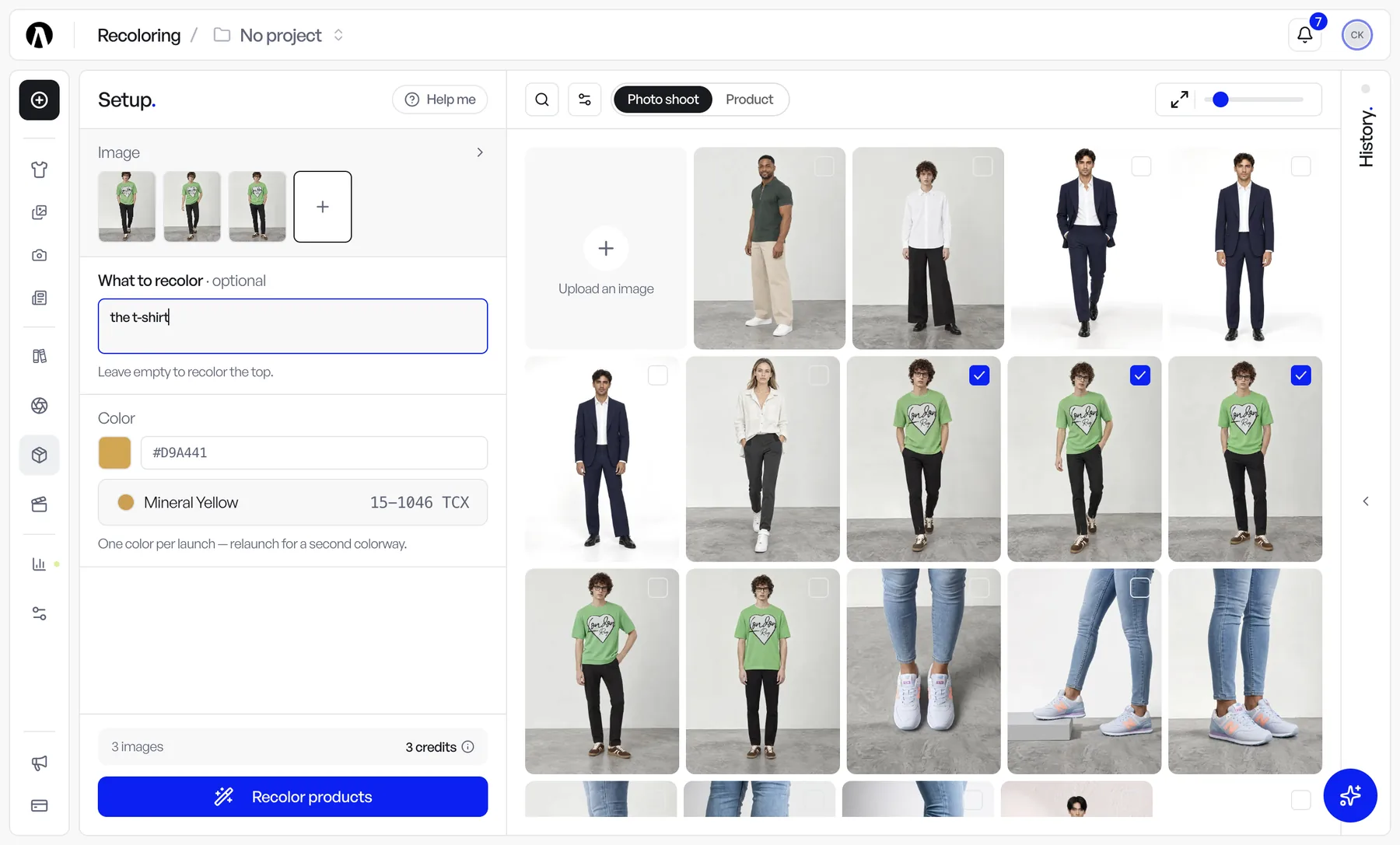
Margins for each product category
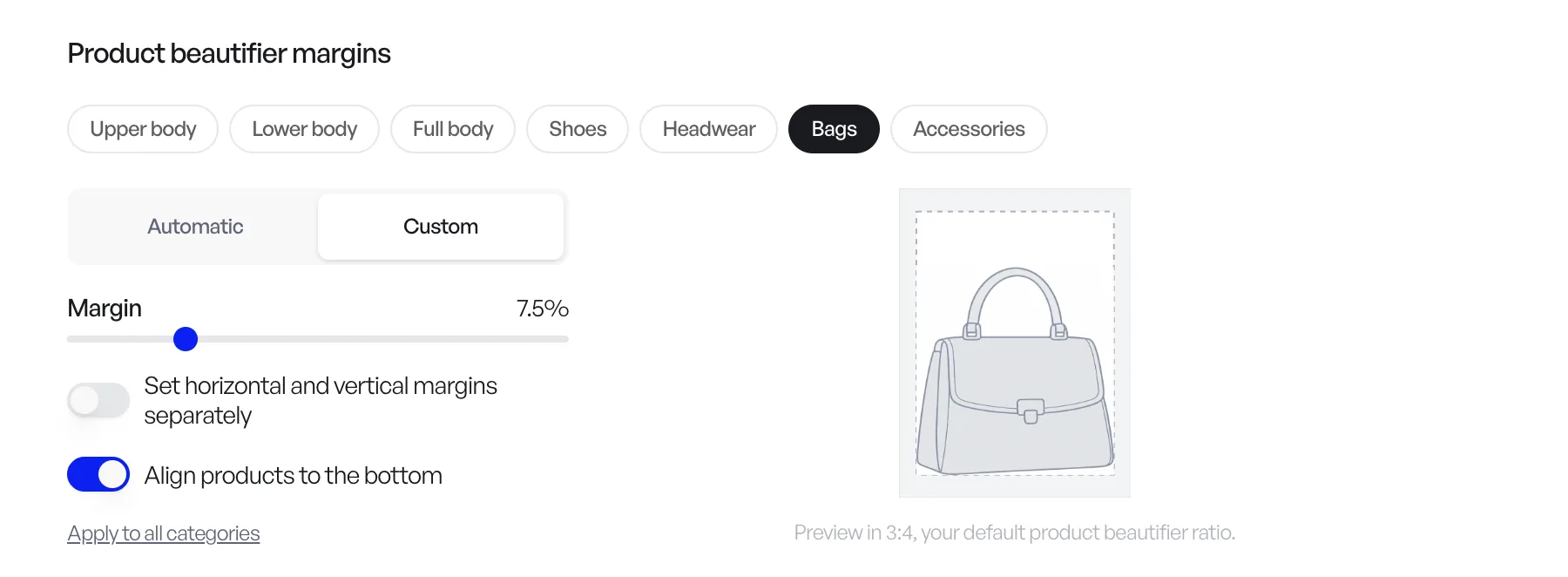
Product beautifier margins are now set per category: Upper body, Lower body, Full body, Shoes, Headwear, Bags and Accessories. Keep a category on Automatic, or switch it to Custom and pick the margin yourself. Align products to the bottom sets every product on the same line, so a row of shoes or bags lines up on your product page. Apply to all categories copies one setting everywhere.
You find it in Configuration › Preferences › Generation, under Product beautifier margins. In the Product beautifier, the Margin row then reads By category: each product takes the margin of its own category. More in the help article.
The same look on every shot
When a product configuration is shot from several angle shots, every shot now wears the same styling. If you didn't pick shoes, a belt or a top, Veeton chooses them once for the whole set, so the full-body front, back and profile no longer come back in three different pairs of boots.
A tidier sidebar
The Studio folder is now sorted into three groups: Shooting & models (Model swap, Photo shoots, Editorial, Model generation), Product (Product beautifier, Recoloring, Product extractor, Sketch to image, Tech pack to product) and Video (Fashion videos, 360° video). Create, at the top, opens All tools, and opening a folder closes the one you had open, so the sidebar stays short.
Fixes and smaller changes
- 360° videos play in the gallery again. They load in the results gallery, old and new.
- Swimwear sold alone. A bikini bottom shot on its own now gets a matching top.
- Louis without a project. On the photo shoot page outside a project, Louis now works with the product configurations in front of you instead of asking which project to use.
- No more broken page after an update. A page left open while we ship a new version now reloads cleanly.
Open Veeton to try it.