
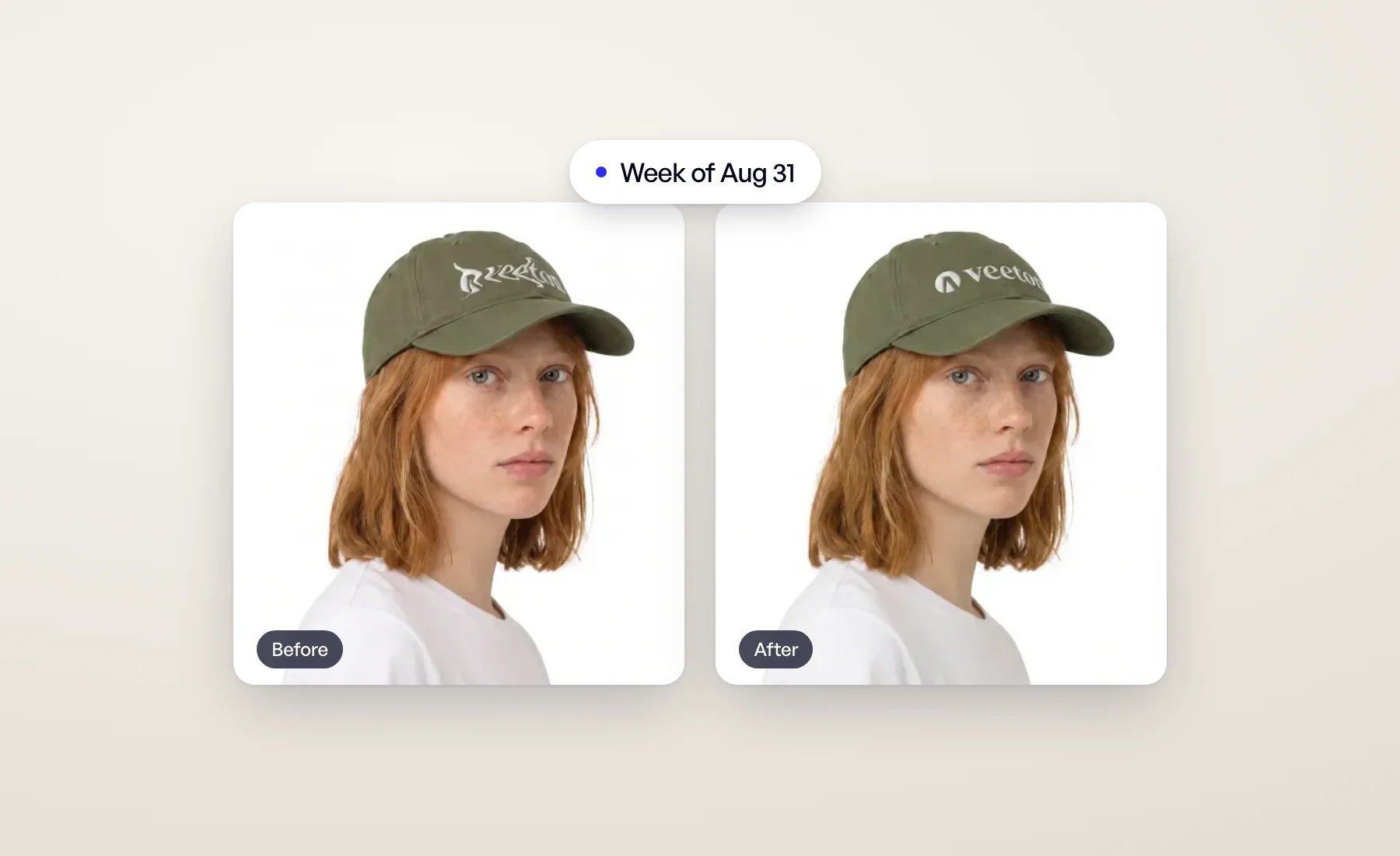
One of our most requested tools arrived this week, along with a clearer path through everything else Veeton can do.
Fix a detail
An image can be 95% perfect: the right model, the right light, the right pose. Then you spot a warped logo or a button in the wrong place. Until now that meant regenerating and hoping. Fix a detail repairs that one flaw and leaves the rest of the photo exactly as it was.
Use Auto and Veeton finds the flaw and fixes it on its own. Use Manual to frame it with a box yourself. There is nothing to type in either mode.


Fix a detail was free at launch; from Oct 26, 2026 each fix costs 5 credits. It has since reached Beautifier and Editorial results too. The full story, with a demo: Fix a detail: correct logos and buttons on AI fashion photos.
Discover what Veeton can do
Most teams start with photo shoots and never get around to the rest. The dashboard now shows a Discover Veeton block with the next three things worth trying, each with a short description and a button to start.
Its title opens the Discover page, which lists everything in five chapters: Get started, The toolbox, Refine, Scale up and Your brand. Nothing is locked, and you can do anything in any order. Progress follows the real work your organization does, so there's nothing to tick by hand, and we celebrate your first finished image and the end of each chapter.
Already done it all? You won't see any of this. The Help Center explains what counts as done.
Project cards show a real result
Every project card now shows a result from inside the project, whatever tool made it: an Editorial image or a photo shoot first, then model swaps, beautified products and the rest. Until the first result lands, a project shows the front view of the product you ordered the photo shoot for. The cover stays current: if that image is deleted or archived, the next one takes its place.
Open Veeton and fix your first detail.